
How to go viral on Instagram Reels in 2026: the complete playbook
November 5, 2026 · 17 min read
Nobody can promise you a viral reel, and anyone who does is selling something. What you can do is make reels that pass the tests Instagram runs on every new video, over and over, until one of them gets pushed far beyond your followers. This playbook shows how to go viral on Instagram Reels in 2026 by designing for those tests: a first three seconds that people do not skip, a body that holds them longer than most reels do, and a reason for strangers to send it to someone.
Those three things are not our theory. They come from Meta's own Reels system card, which lists predictions such as watching less than three seconds and watching more than 95% of users, and from Adam Mosseri, who has named watch time, likes per reach and sends per reach as the signals that matter most, with sends weighing slightly more for reaching non-followers. Add originality (since April 2026 accounts that mostly repost may not be recommended to new audiences at all) and you have the whole frame.
Below: what viral means in numbers you can see, the account setup, ten production steps, how to use trial reels, a 30 day plan, a worked example, what to do after a hit, and troubleshooting. Facts are as of November 2026 and sourced at the end.
What going viral means on Instagram in 2026
In Instagram terms, a reel goes viral when most of its views come from people who do not follow you, and it keeps being shown to larger groups after the first test. Instagram described this pattern in February 2025: a new reel is shown to a small audience first, and the best performers are shown to wider and wider groups. In September 2026 Mosseri said, as reported by Social Media Today, that Instagram deliberately tests posts from small creators. You do not need an audience to get the first test. You need to win it.
So stop measuring virality by a view count you saw on someone else's page. Measure it by the share of non-follower views on your own reels, by share rate, and by whether reach keeps climbing on day two and three. Metricool's 2026 Instagram study (24.36 million posts from 375,000 accounts) found that 70% of a post's views arrive within 72 hours and the first day accounts for 30% of a reel's lifetime views. A reel still gaining on day three is being pushed.
A word on the loud claims. On X, app founders post screenshots of Instagram accounts where, in their words, not one reel is under 700,000 views; one such post by Ernesto Lopez drew a reply calculating roughly 136 million views over 7,569 posts, an average far lower than the headline. The same author has also claimed 99% of new AI video accounts get under 1,000 views. Both are claims, not data, but together they describe the real distribution: most reels do little, a few do a lot, and posting more good reels is how you buy more tickets.
Set the account up before you chase reach
- Switch to a professional account (Creator or Business). You get Insights on every reel, Account Status for recommendation eligibility, and trial reels.
- Choose one topic and say it in searchable words in your name field and bio. Instagram search matches your search words against usernames and profile names, per Meta's Search system card.
- Open Account Status and confirm nothing is flagged as ineligible for recommendations. A flagged bio or an old violating post can quietly cap reach to non-followers.
- Make sure everything you have posted in the last 30 days is yours. Since April 2026 the originality judgement covers reels, photos and carousels over a rolling 30 days.
- Pick a visual style you can repeat. A visitor who lands on your profile from a viral reel decides to follow based on whether the grid promises more of the same.
If you are starting from zero, read how to warm up a new Instagram account for what a sensible first two weeks look like and which 'warm-up' rituals are myth.
Step 1: choose formats that travel
Some formats are built to be sent. Instagram's Feed Recommendations card lists how informative a post is as its first prediction, and the Reels card lists sharing off Instagram explicitly. The formats below travel because the viewer gets something they want to pass on: a fact to repeat, a feeling to share, an argument to settle.
| Format | Why people send it | Watch-time risk | Good for |
|---|---|---|---|
| One surprising fact, told fast | Viewer wants to repeat it to someone | Low if under 40 s | Education, history, science, money |
| Explained in 30 seconds | Saves an argument or a search | Medium: needs a clear payoff | Finance, health, tech, how-things-work |
| Relatable situation ('when your...') | Tagging the friend it describes | Low | Lifestyle, work, relationships, parenting |
| Myth versus reality | Proving someone wrong | Medium | Fitness, nutrition, productivity |
| Numbered series ('Part 3') | Follow to get the next one | Low once the series is known | Any niche with depth |
| Before and after or transformation | Satisfying, easy to show | Low | Design, food, home, fitness |
| Ranking or tier list | Disagreement in comments and DMs | Medium: keep each item short | Pop culture, gear, food |
Pick one or two formats and stay there for at least a month. Recognisable formats compound: the Reels card predicts following the author and using the audio, and both get easier when viewers know what your next reel will be.
Step 2: find ideas with send potential
A reel's ceiling is set at the idea stage. Before you write anything, run each idea through four questions. Who would this be sent to, specifically? What will they feel or know after watching that they did not before? Can the payoff be shown in the first three seconds? Is there a single, concrete detail (a number, a name, a date) that makes it believable?
Good sources of ideas: questions in your own comments and DMs; Instagram search (type the start of your topic and look at what it suggests); the most-sent reels in your niche from the last month, studied for structure, never copied; and old ideas that worked on your own page, retold with a better opening. If you also post on TikTok, its Creator Search Insights tool shows what people search for in many countries. We cover keyword research for both apps in Instagram and TikTok SEO.
Idea filter (copy for every idea)
IDEA:        ______________________________________
SENT TO:     "my friend who ______________________"
PAYOFF:      what they know or feel at the end
FRAME 0:     what is on screen at t = 0 (the payoff, a number,
             the problem in action)
PROOF:       one concrete detail (name, number, date, source)
SERIES?:     could this be part 1 of 5?          yes / no
VERDICT:     make / park / kill
Step 3: win the first three seconds
The first test every reel faces is whether people skip it in under three seconds. Meta's Reels card lists that exact prediction, and Insights now reports it as skip rate: the percentage of views where people skipped in the first three seconds. Instagram's own creator tips say to make sure the first three seconds are engaging, and its August 2026 video tips say to open with the moment that makes someone stop scrolling and to read early drop-off as a hook problem.
Practical rules that follow from that:
- Put the most interesting thing on screen at frame zero. Not a logo, not a title card, not you saying hello.
- Make the on-screen text and the first spoken line say the same thing. Many people start a reel muted; the text is the hook for them.
- Lead with the consequence, then the cause: "$440 million lost in 45 minutes" before "because of one software flag".
- Ask the question the reel answers, and answer it. Never open a loop you will not close.
- Contradict something the viewer believes, then prove it.
- Cut every word that delays: 'so', 'in this video', 'did you know', 'wait for it'.
We collected twenty hook structures with examples in hooks for Reels and TikTok. Write three hooks for every reel and choose the one you would stop for.
Step 4: script for watch time, not for length
Mosseri has said Instagram looks at both the percentage of a video watched and the number of seconds watched, so it does not penalise longer reels. The Reels card's '95% of users' prediction is also relative. Translation: the length that wins is the shortest one that delivers the full payoff. A tight 45 second explainer can outperform a 12 second clip people abandon at second 6.
For discovery, stay at 3 minutes or under. As of November 2026 the Help Center says reels can be up to 20 minutes but reels over 3 minutes will not be recommended to new audiences. Third-party data agrees in shape: Socialinsider's analysis of 23.6 million videos from 570,000 brand accounts (January to June 2026) found Reels views and engagement peaked around 45 to 60 seconds and fell sharply after 180 seconds.
Script skeleton for a 30 to 60 second reel
0.0 s  HOOK      payoff or problem on screen + same line spoken
1.5 s  STAKES    why it matters to this viewer (one line)
3 s    BEAT 1    first piece of the payoff, shown not told
       BEAT 2    a new question every 5 to 10 s
       BEAT 3    the surprise or the number
~70%   PAYOFF    the biggest reveal, not saved for the last frame
END    LAND      one line that closes the loop; no "follow for
                 more" card. If it is a series: "Part 4 tomorrow."
Read the script aloud before producing anything. If a sentence makes you breathe in the middle, split it. If two lines say the same thing, cut one. Every second you remove raises the share of the reel people finish.
Step 5: design for sound off and the safe zone
Burned-in captions are not optional for discovery reels: a muted viewer who cannot follow the story skips. Instagram's August 2026 tips include adding on-screen text for people watching without sound. Show one short phrase at a time, large enough to read on a phone at arm's length, with the spoken word highlighted if you can.
Keep text and key visuals clear of the interface. Instagram covers the bottom of a reel with the caption, handle and audio label, and the right edge with the like, comment and share buttons. Meta only publishes safe-zone numbers for Reels ads (leave 14% at the top, 35% at the bottom and 6% on each side clear). On a 1080 by 1920 frame we use a slightly stricter box of our own, x 90 to 910 and y 260 to 1420, so the same file works on TikTok and Shorts too. Full numbers are in safe zones and specs for Reels, TikTok and Shorts.
Avoid the things the Help Center says get reels shown less: muted, blurry or low resolution video, borders, logos or watermarks, and frames where text covers most of the image. Upload at the highest quality (Settings > Your app and media > Media quality > Upload at highest quality).
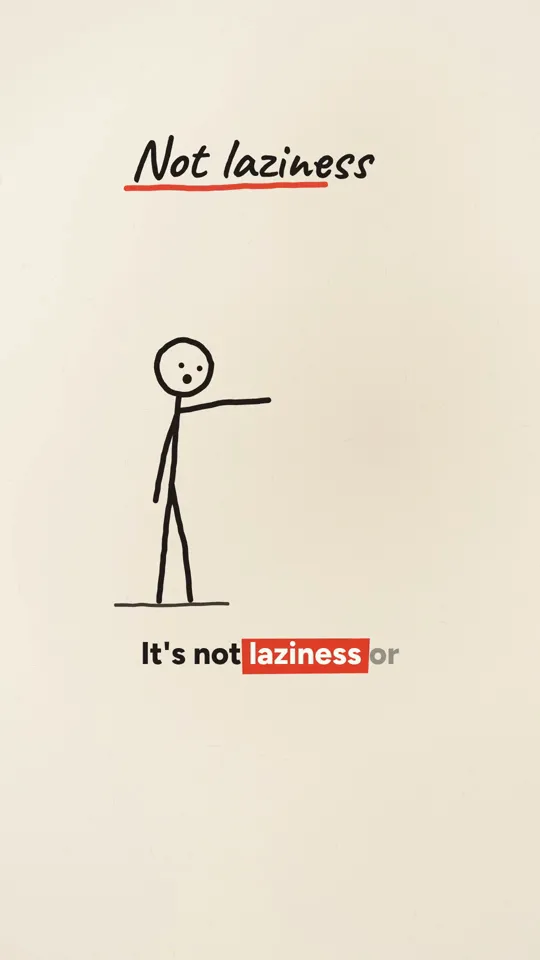
Ink stickman · 35 s
Kinetic type · 29 s
Step 6: choose audio that helps, not audio that hides
The Help Center says Instagram favours reels with music from the Instagram library or original audio made with the Reels audio tool. The Reels card also predicts whether a viewer will use your audio, which is one reason trends travel: a sound becomes a format.
For voiced explainers, the voice is the audio. Add a quiet music bed from the library under it in the app so the reel is linked to a sound page, and keep the voice clearly on top. For music-led reels, trending sounds can help, but only if the reel actually fits the sound; a mismatched trend is a skip. If you make your own audio, an original sound that others reuse sends viewers back to your reel from the audio page.
Step 7: caption, keywords and five hashtags
Captions do two jobs: they help Instagram and search engines understand the topic, and they give the curious viewer a reason to stay on the post. Instagram's Search card describes matching search words to profiles and results, and the Help Center says public reels from professional accounts can be indexed by search engines. Write the first line as the phrase someone would search, then add one or two lines of context or a question.
As of November 2026 posts can carry up to five hashtags, and Mosseri has said hashtags do not significantly increase reach. Use two to four specific ones as labels. And do not write long captions that have nothing to do with the reel to game watch time on the post: the Recommendations Guidelines name long captions unrelated to the content as low-quality.
Caption template
LINE 1  The searchable phrase: "Why compound interest feels slow
        for 10 years"
LINE 2  One line of context or the source: "Numbers from a
        7% yearly return on $200 a month."
LINE 3  A real question: "What would you do with the first $1,000?"
TAGS    #compoundinterest #personalfinance #investingbasics
        (2 to 4, specific, under the 5 cap)
Step 8: cover and grid for the follow decision
The viral reel brings visitors; your profile turns them into followers. Since January 2025 the profile grid shows 3:4 vertical tiles rather than squares, so the cover of a 9:16 reel is cropped at the top and bottom on the grid. Put the cover's title text in the middle third so it survives the crop. (The Help Center still lists an older 420 by 654 cover size; design for the 3:4 grid crop.)
Make covers consistent: same type, same position, a short title that tells a visitor what the reel is about. A visitor scanning twelve tiles that all promise the same kind of value is far more likely to follow than one scanning twelve unrelated thumbnails.
Step 9: test new formats with trial reels
Trial reels, launched in December 2024, are shown to non-followers first. After about 24 hours you can see views, likes, comments and shares, then share the reel to followers or let Instagram do it automatically if it performs well within 72 hours. A trial reel does not appear on your grid unless you share it.
Use them for exactly what they are good at: testing a new format, a new hook style or a new topic on strangers without cluttering your profile or confusing your followers. A simple rule: any reel that departs from your proven format goes out as a trial first. If it beats your median share rate, share it to followers and make two more like it.
Step 10: post, then stay for the first hour
Instagram has never published a best time to post, and the big studies disagree: Buffer's 9.6 million-post analysis (updated September 2026) favours Thursday 9 a.m. and Wednesday midday and evening, while Metricool's 24.36 million-post study finds 8 to 9 p.m. the busiest hour. Start with your own Insights (when your followers are online) and test two windows. Our best time to post on Instagram and TikTok compares every study.
Whatever the time, stay around after you post. Reply to early comments properly. Buffer's analysis of 52 million posts found replying to comments was associated with about 21% higher engagement. Pin a comment that adds something (the source, the next part). Do not reshare to Stories just to boost it: Mosseri said in April 2026 that it will not meaningfully change reach. Share to Stories only if you have something to add.
The numbers that tell you a reel is taking off
Open the reel and tap View insights (or use the professional dashboard or the Edits app's Insights, which covers the last 60 days). Compare each reel with your own median, not with other accounts.
| Metric | Taking off looks like | Stalling looks like |
|---|---|---|
| Non-follower share of views | Rising past half and still climbing on day 2 | Mostly followers after 24 hours |
| Skip rate | Clearly below your median | Above your median: the hook failed |
| Retention chart | Flat after the first seconds, small bump on rewatch | A cliff in the first 5 seconds or at a slow section |
| Share rate | Well above your median | Likes but almost no sends |
| Follows from the reel | A steady trickle per thousand views | Views with no follows: the profile does not convert |
| Views over time | Still adding views on day 3 | Flat after day 1 |
A 30 day plan to give yourself real chances
Frequency matters because outcomes are uneven. Buffer's study of 2.1 million posts from 102,000 accounts (August 2025) found weekly follower growth rose from 0.12% at one to two posts a week to 0.26% at three to five, 0.44% at six to nine and 0.66% at ten or more, with reach per post also higher at higher frequencies. Buffer itself says content quality probably remains the biggest factor. The plan below aims for four reels a week, which most people can sustain without quality falling off. See how often to post on Instagram and TikTok for the trade-offs.
30 day plan
DAYS 1 to 3    Setup
  - Professional account, Account Status clean, bio and name
    field with the topic in searchable words
  - Choose 2 formats from the table; write 20 ideas; run the
    idea filter; keep the best 12

DAYS 4 to 10   Batch 1 (4 reels)
  - Same format, 3 hook options each, pick the strongest
  - Captions burned in, safe zone checked on a phone
  - Post in your 2 test windows; reply to every comment

DAYS 11 to 17  Batch 2 (4 reels)
  - Keep what had the lowest skip rate; change ONE thing
  - 1 reel as a trial reel testing the second format

DAYS 18 to 24  Batch 3 (4 reels)
  - Turn the best reel so far into a numbered series
  - Pin a comment linking the parts

DAYS 25 to 30  Review
  - Rank 12 reels by share rate, then skip rate, then follows
  - Write 3 rules ("numbers in frame 0", "under 40 s", ...)
  - Plan next month: 70% proven format, 30% experiments
A worked example from idea to post
Topic: compound interest for people in their twenties. Format: one surprising fact, explained in about 35 seconds as a diagram that draws on.
Idea filter: sent to 'my friend who keeps saying they'll start investing later'. Payoff: they see that the first ten years look flat and the next twenty do not. Frame zero: a line chart already on screen, almost flat, with the caption 'Why your savings look useless for 10 years'. Proof: a stated assumption (a 7% yearly return on $200 a month, labelled as an assumption, not a promise).
Script: hook line matches the caption. Stakes: 'This is why most people quit too early.' Beat 1: the flat decade, drawn. Beat 2: 'Now watch years 11 to 20.' Beat 3: the curve bends. Payoff at around 70%: the gap between starting at 22 and at 32, shown as two lines. Land: 'The boring part is the part that pays.' No end card.
Packaging: cover title 'The boring decade' in the middle third. Caption line one 'Why compound interest feels slow for 10 years'; three hashtags. Posted in the stronger of two test windows, with a pinned comment stating the assumption. Then you read skip rate, share rate and the non-follower share against your median and decide whether it becomes Part 1 of a series.
What to do after a reel goes viral
- Do not change your profile into something else. Visitors are deciding whether to follow the account that made that reel.
- Post the follow-up within a day or two while non-followers are still arriving: Part 2, the answer to the top comment, or the same format on the next topic.
- Pin the reel to your grid so profile visitors see it first.
- Reply to comments, especially questions you can turn into the next reels.
- Write down why you think it worked (hook, format, topic, length) and test that hypothesis on the next three reels. Many hits are partly luck; the format is what you can repeat.
- If the goal is a product, measure what actually happened downstream. One app founder replied publicly on X that his stickman series did millions of views but that views did not convert well into downloads. Reach and results are different questions.
What not to do, and why
Several popular shortcuts work against the systems described above, and some are against the rules outright.
- Buying likes, views or followers. Meta's Spam policy bans buying, selling or exchanging engagement, and the Recommendations Guidelines say accounts that repeatedly bought likes are not recommended. It also ruins your data: you cannot read share rate on fake reach.
- Engagement pods and comment groups. The Recommendations Guidelines name coordinated comment networks as low-quality content.
- Follow and unfollow, and mass liking or commenting. Meta's Spam policy covers posting or engaging at very high frequencies, manual or automated, and the Instagram Terms forbid automated account actions without permission.
- Cash giveaways for follows or likes. The Spam policy bans offering cash or cash equivalents in exchange for engagement.
- Reposting other people's viral reels. Since April 2026 a mostly-repost account may not be recommended to new audiences at all; a watermark or a credit does not count as an edit.
- Posting TikTok exports with the watermark. Instagram's creator FAQ says a third-party watermark may be impacting reach. Export clean files for each platform; see Reels vs TikTok vs Shorts.
- Undisclosed realistic AI people. Accounts that repeatedly feature a photorealistic AI-generated person without disclosing it are not recommended, per the guidelines.
Troubleshooting a reel that did not travel
| Symptom | Likely cause | What to try next |
|---|---|---|
| High skip rate | Slow or unclear opening | Payoff at frame 0; text and voice say the same hook |
| Low skip rate, cliff at 5 to 10 s | Setup is too long after a good hook | Cut straight from hook to the first beat |
| Good retention, almost no sends | Interesting but not personal | Re-angle for a specific recipient or situation |
| Lots of followers' likes, no non-follower views | Recommendation eligibility or format | Check Account Status, originality, borders, watermark |
| Views but no follows | Profile does not promise more | Bio, cover consistency, a series |
| Everything fine, still small | Variance | Make 3 more in the same format before judging |
For a deeper look at how each surface ranks posts, read how the Instagram algorithm works. If you also post to TikTok, the same video can be judged very differently there; see how to go viral on TikTok.
Making the volume sustainable with Video Studio
The hardest part of this playbook is not knowing it, it is doing it four times a week for months. WhatToUpload's Video Studio handles the production half: you type a topic in one sentence and it writes the script, draws every frame as code, voices it, and burns captions in inside the safe zone, returning a vertical reel in about 3 minutes. Styles live today are Kinetic type, Ink stickman and Diagram explainer, which suit the fact, explainer and numbers formats above. Because every frame is drawn fresh, the output is original and has no borders or watermarks.
It does not decide what is worth sending, and it does not grow an account by itself. Auto-posting to YouTube is live for testers and Instagram and TikTok posting is coming, so for now you download the file and post it, ideally as a trial reel first. Plans are $19, $49 and $99 a month; 10 free credits at signup let you try the script tools but are not enough for a full video, and a 30 second video costs 26 to 30 credits. See the faceless video generator, the YouTube Shorts maker or the free tools.
Sources and methodology
Platform behaviour comes from Instagram's, TikTok's and YouTube's own documentation and statements, checked in November 2026. Third-party studies are listed with their sample and method, and treated as starting points for your own testing rather than rules. Creator figures from posts on X are the creators' own claims.
- 01Meta Transparency Center: Instagram Reels system cardUpdated Nov 11, 2025. Skip, watch, share, follow and audio predictions.
- 02Instagram: helping creators of all sizes break throughFeb 26, 2025. Small test audience first; first three seconds.
- 03Instagram Help Center: reels shown less oftenRead Nov 5, 2026.
- 04Instagram Help Center: Reels lengthRead Nov 5, 2026. Over 3 minutes not recommended to new audiences.
- 05Instagram Help Center: Recommendations GuidelinesRead Nov 5, 2026.
- 06Instagram: trial reelsDec 10, 2024.
- 07Instagram creators FAQUndated, read Nov 5, 2026. Watermarks and original content.
- 08Meta Community Standards: SpamRead Nov 5, 2026. Buying engagement, very high frequency actions, cash giveaways.
- 09Social Media Today: Mosseri on watch time, likes and sendsJan 22, 2025.
- 10Social Media Today: Instagram adds skip rate and retentionAug 24, 2025.
- 11Social Media Today: Instagram video creation tipsAug 5, 2026.
- 12Buffer: how often to post on InstagramAug 13, 2025. 2.1M posts, 102K accounts.
- 13Buffer: how to grow on InstagramAug 21, 2026. 52M+ posts; replying to comments.
- 14Socialinsider: social media video statisticsAug 21, 2026. 23.6M videos, 570K brand accounts.
- 15Metricool: Instagram trends 2026Jun 16, 2026. 24.36M posts; 70% of views within 72 hours.
- 16Ernesto Lopez on X: Instagram account postOct 31, 2026. View figures are his claim; see the replies.
Frequently asked questions
How many views is viral on Instagram Reels?
There is no official threshold. A more useful definition is a reel whose views come mostly from non-followers and that keeps gaining on day two and three. For a small account that might be ten times its usual views; judge against your own median.
What is the best length for an Instagram Reel?
The shortest length that delivers the full payoff, and no more than 3 minutes if you want non-followers to see it. Socialinsider's 2026 study of 23.6 million brand videos found views and engagement peaked around 45 to 60 seconds.
Do hashtags help Reels go viral?
Not much. As of November 2026 you can use up to five, and Mosseri has said hashtags do not significantly increase reach. Use two to four specific ones as topic labels.
Should I post trial reels?
Yes, for anything that departs from your proven format. Trial reels go to non-followers first and do not appear on your grid unless you share them, so you can test new hooks and topics without confusing followers.
Can I repost my TikToks as Reels?
Your own videos, yes, but export a clean file without the TikTok watermark. Instagram's creator FAQ says a third-party watermark may be impacting reach.
Why do my Reels get views but no followers?
The reel was worth watching but the profile did not promise more of the same. Tighten the topic in your bio, make covers consistent and turn your best format into a numbered series.
Is it worth buying views to kick-start a reel?
No. Meta's Spam policy bans buying engagement, accounts that bought likes are not recommended, and fake reach makes your share and skip rates meaningless.