
Comparison
WhatToUpload vs Revid: an honest comparison (2026)
Revid is one of the broadest tools in the category: more than 100 tools, AI video models up to 4K, voiceovers in 70+ languages, direct publishing to TikTok, Instagram, YouTube and X, and an API, MCP server and CLI. WhatToUpload does one job: a finished vertical video from a topic, in three code-drawn styles.
Breadth against focus is the real choice here, and the credit model follows from it. Revid charges per asset generated, which matches cost precisely. We charge a fixed price per style and length, which is easier to plan around.
Side by side
- What it makes
- WhatToUpload: Finished vertical videos (9:16) from a topic in about 3 minutes: script, ElevenLabs voiceover, captions timed to the voice, music and sound
- Revid: Short-form videos from text or links, remixes, AI video clips, motion graphics, avatars and more
- Look
- WhatToUpload: Three styles drawn as code: Kinetic type, Ink stickman, Diagram explainer. Crisp type, no AI faces, nothing drifts between frames
- Revid: AI images, AI video models (including Seedance, Veo 3 and MiniMax), motion graphics, avatars
- How pricing works
- WhatToUpload: One credit balance. Fixed price per style and length: 30 s is 26 credits (Kinetic type) or 30; 60 s is 42 or 48. Shown before you render
- Revid: Credits per asset: images, seconds of AI video, seconds of motion graphics, voice per 500 characters. Estimated cost shown before generating
- Entry price (as of 4 Nov 2026)
- WhatToUpload: Creator $19/month for 500 credits; Pro $49 for 2,000; Studio $99 for 4,500
- Revid: Growth $39/month for 2,000 credits ($32 billed yearly); Ultra $199 for 12,000. Elite $89 is an upgrade for existing subscribers
- Price per video
- WhatToUpload: Creator: $19 / 19 videos of 30 s, about $1.00 each. Pro: $49 / 76, about $0.64. A 60 s Kinetic type video on Pro is about $1.03
- Revid: Their rule of thumb: 30 s with images and voice is 40 to 80 credits, about $0.78 to $1.56 on Growth. 60 s Pro motion graphics with voice about 200 credits, about $3.90
- Auto-posting
- WhatToUpload: Not yet. Auto-posting and scheduling to YouTube, Instagram and TikTok are coming soon, on Pro and Studio; today you download the MP4
- Revid: Yes: direct publishing to TikTok, Instagram, YouTube and X, plus Auto-Mode workers (3 on Growth)
- Credits that carry over
- WhatToUpload: Monthly credits roll over while subscribed; top-ups (100 for $9, 500 for $39) never expire
- Revid: Plan credits reset at renewal; Credit Boost packs ($49 for 1,000 up to $1,900 for 100,000) never expire
- Failed renders
- WhatToUpload: Credits refund automatically when a render fails
- Revid: Not stated on their pricing page
- Free tier
- WhatToUpload: No free tier: plans start at $19/month
- Revid: New accounts get free credits (amount not stated)
What our output looks like
Three untouched renders from Video Studio, one per live style. Each started as a one-line topic.
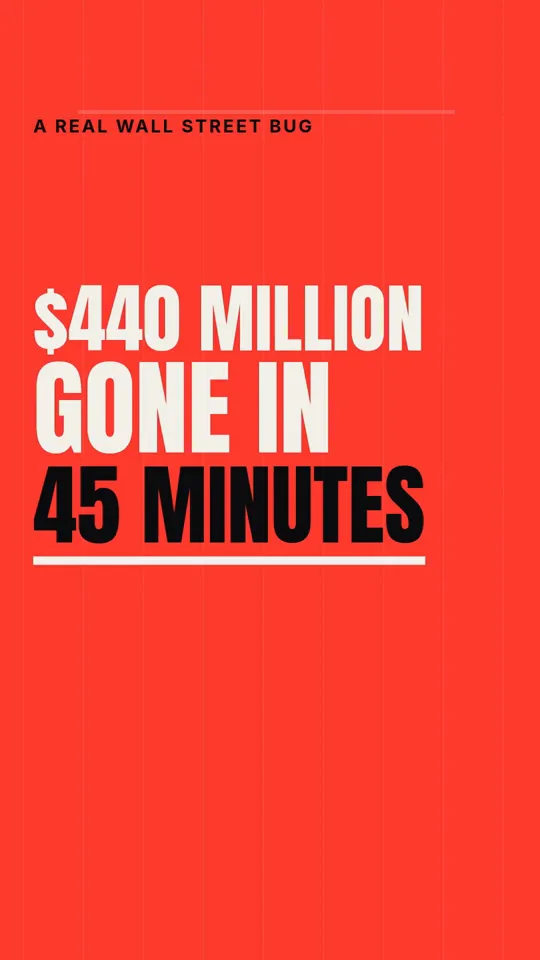
Kinetic type · 33 s

Ink stickman · 35 s
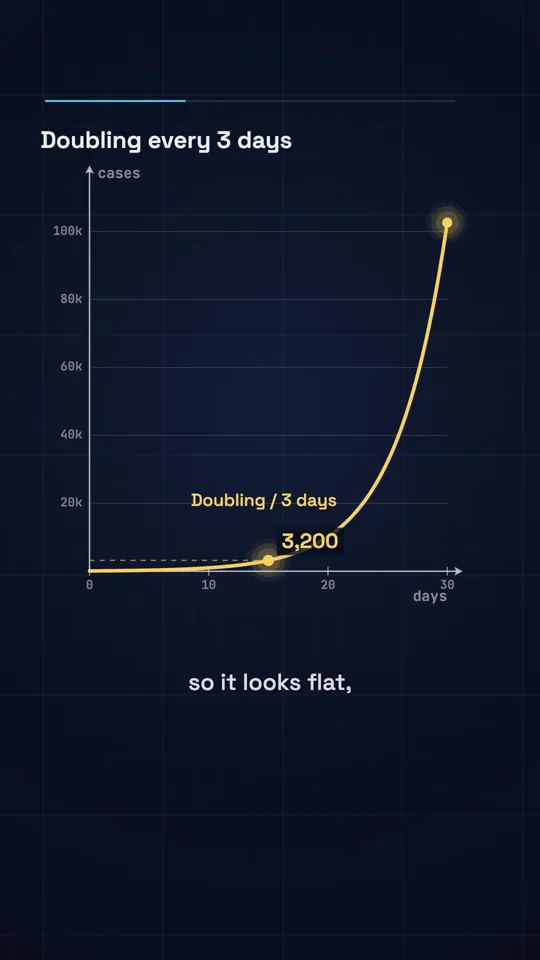
Diagram explainer · 41 s
Per asset versus per video
Revid's credit is a currency spent on each thing generated. On Growth at $39 for 2,000 credits, a credit costs about $0.02. Their own guide puts a 30 second video with images and voice at 40 to 80 credits, so roughly $0.78 to $1.56, and a 60 second Pro motion graphics video at about 200 credits, roughly $3.90 (as of 4 Nov 2026). AI video clips cost far more: Veo 3 is 100 credits per 5 seconds.
Our price is fixed: 26 or 30 credits for 30 seconds, 42 or 48 for 60, whatever the topic. On Creator that is about $1.00 for a 30 second Kinetic type video and on Pro about $0.64. Against Revid's motion graphics, which is the closest match to our styles, a 60 second video with us is about $1.03 on Pro.
Per-asset pricing has a real advantage: you only pay for what you use, and Revid shows an estimate before you generate. The cost is that the final number depends on how many images, seconds and retries a video took. If you would rather know the price of a video before you start, a fixed price is simpler.
Motion graphics drawn as code
Both products offer motion graphics. Ours are the whole product: Claude writes a storyboard of words, shapes and beats, and our renderer animates it frame by frame. Type is set in real fonts, graphs are plotted, a stick figure keeps its hands. Nothing is dreamed up by a video model, so nothing drifts and there are no synthetic faces.
Revid gives you far more looks, including photoreal AI footage that we do not make at all. If your videos need moving footage of real-looking scenes, Revid can do that and we cannot.
What Revid has that we do not yet
Publishing to TikTok, Instagram, YouTube and X, automated workers that post on their own, an API with MCP and CLI access, and dozens of formats. Auto-posting and scheduling (on Pro and Studio), series and more formats are coming soon at WhatToUpload, not live today. What we add is the planning layer: an idea engine and tools for titles, hooks, thumbnails and scripts in the same account.
Where Revid is better
A comparison page that claims the competitor has no strengths is marketing, not information. These are real.
- Direct publishing to TikTok, Instagram, YouTube and X, with Auto-Mode workers
- AI video models up to 4K, including Seedance, Veo 3 and MiniMax
- 100+ tools and voiceovers in 70+ languages
- An API, MCP server and CLI, plus a free endpoint to calculate credits before generating
- Credit Boost packs that never expire and get cheaper at volume
Questions
Is WhatToUpload a Revid alternative?
For finished explainer and facts videos with readable type, yes. For AI footage, avatars, auto-posting or an API, not yet. We do one job with a fixed price; Revid does many with a per-asset price.
Which is cheaper for motion graphics?
On the published numbers, us. Revid's 60 second Pro motion graphics with voice is about 200 credits, about $3.90 on Growth (as of 4 Nov 2026). A 60 second video with us is 42 or 48 credits, about $1.03 to $1.18 on Pro or $1.60 to $1.82 on Creator.
Do credits roll over?
Revid plan credits reset at renewal, while its Credit Boost packs never expire. Our monthly credits roll over while you stay subscribed and top-ups never expire.
What if a render fails?
With us, credits refund automatically. Revid does not state a failed render policy on its pricing page.
Can it post to YouTube Shorts for me?
Revid can publish directly. We cannot yet: auto-posting and scheduling are coming soon, on Pro and Studio, and today you download the MP4.