
How to make videos with Claude Code
November 5, 2026 · 11 min read
Claude Code cannot export a video file by itself. What it can do is write a web page where every frame is a pure function of time, then drive Chrome to capture that page one frame at a time and hand the frames to ffmpeg. That is the trick behind the "made with Claude" videos you have seen on X and TikTok, and you can run it on your own laptop.
This guide walks through the pipeline we use, with the code shape of each step. It is also honest about the part most tutorials skip: in our own measurements, an agentic Claude Code session costs about $7 to $13 in API tokens for a 60 second video, and most of that goes on rendering and reviewing, not on writing.
Short on time? Video Studio does all of this from one sentence in about 3 minutes. See how
What a video drawn as code looks like
Three untouched renders, one per style. Every frame was drawn by a render function exactly as this guide describes; the voice, captions and music were added afterwards.
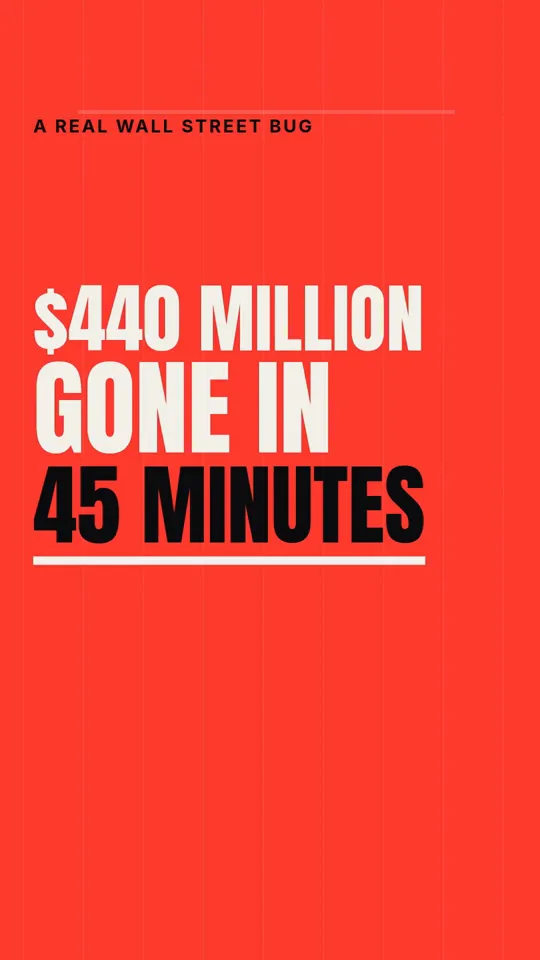
Kinetic type · 33 s

Ink stickman · 35 s
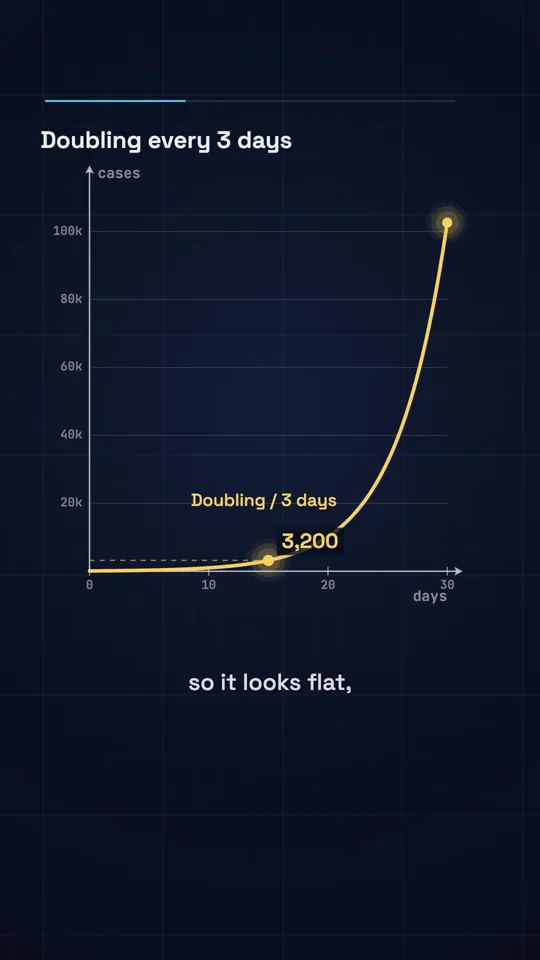
Diagram explainer · 41 s
The idea: a video is a page that can draw any moment
A normal editor stacks clips on a timeline and plays them. Video as code turns that around. You write one function, render(t), that takes a time in seconds and draws exactly what the screen shows at that instant: which words are on screen, where the line has reached, how far the graph has drawn. If render(12.4) always produces the same pixels, a capture tool can step through t = 0, 1/30, 2/30 and so on, and record each frame.
Nothing plays in real time, which is the point. A frame that takes 400 milliseconds to draw still lands perfectly in a 30 fps video, so you can use heavy effects, motion blur and supersampling that would stutter in a live browser.
Claude is a good fit because a film page is just HTML, Canvas, SVG and JavaScript, which it writes fluently. It can plan the beats, write the drawing code and, given a screenshot of its own frames, notice that a caption overlaps a shape and fix it. The approach became a named genre in 2026: Remotion's Agent Skills launch in January and HeyGen's open source HyperFrames in April are both versions of the same idea, and our comparison guide covers how they differ.
What you need before you start
- Claude Code, either on a paid Claude plan or with an Anthropic API key. The cost figures in this guide are API list prices, so you can see what the work consumes.
- Google Chrome installed, plus Node.js 20 or later with the playwright-core package, which drives the Chrome you already have instead of downloading another browser.
- ffmpeg on your PATH, for encoding frames and mixing audio.
- Optional but worth it: a text to speech API for the voiceover. ElevenLabs has an endpoint that returns character timings with the audio, which is what makes captions land on the right word.
- A music track you have the rights to use, or none at all. Platform libraries do not travel with the file you upload.
- A machine that can render. A recent laptop handles 2D canvas, SVG and type easily. Heavy three.js scenes are where CPU-only servers struggle: on our Linux worker without a GPU, WebGL in headless Chrome ran at 0.7 fps.
Step by step: your first video with Claude Code
The whole loop, in the order that wastes the fewest renders.
Write the brief
Give Claude the platform, length, frame size (1080 by 1920 for Shorts, Reels and TikTok), style, topic or script, and the three determinism rules. Ask for nothing else yet.
Approve a storyboard
Ask for a beat list with times: the hook in the first two seconds, a new visual every two to three seconds, the payoff, the end. Fix the story here, while it is text.
Generate the voiceover
Turn the approved script into narration with word timings, so the page can time every caption and visual to the voice.
Have Claude write the film page
One HTML file that exposes window.__film with seek(t). Ask Claude to read the timings JSON rather than hard-code times.
Preview and check stills
Open the page with a time slider, then capture stills at four timecodes and review them together. Ask Claude to fix anything that overlaps or leaves the safe area.
Capture and encode
Run the capture script outside the Claude session, then mix the voice and music to about -14 LUFS and mux them onto the frames.
Watch it on a phone
Play the MP4 full screen on a phone with sound on before posting. Fix, re-render the affected segment, and post.
The film page contract
Before Claude writes a single animation, agree on a contract: the small object the capture script talks to. Ours exposes the size, frame rate, duration, a promise that resolves when fonts and images have loaded, and a seek(t) function. Everything else on the page is Claude's business.
Three rules keep it deterministic, and you should paste them into your brief word for word. Every frame is a pure function of t. No Date.now(), no performance.now() and no unseeded Math.random(), because those change between runs. No network requests while rendering: fonts and images are local files, loaded before ready resolves.
<canvas id="c" width="1080" height="1920"></canvas>
<script>
  const W = 1080, H = 1920, FPS = 30, DURATION = 30;
  const ctx = document.getElementById("c").getContext("2d");

  // Seeded random, so frame 412 is identical on every run.
  function mulberry32(a) {
    return () => {
      a |= 0; a = (a + 0x6d2b79f5) | 0;
      let t = Math.imul(a ^ (a >>> 15), 1 | a);
      t = (t + Math.imul(t ^ (t >>> 7), 61 | t)) ^ t;
      return ((t ^ (t >>> 14)) >>> 0) / 4294967296;
    };
  }
  const easeOut = (x) => 1 - Math.pow(1 - Math.min(1, Math.max(0, x)), 3);

  // The storyboard Claude wrote, as data: when each beat starts.
  const BEATS = [
    { at: 0.0, word: "$440 MILLION" },
    { at: 1.6, word: "GONE" },
    { at: 2.4, word: "IN 45 MINUTES" },
  ];

  function render(t) {
    ctx.fillStyle = "#0d0d0f";
    ctx.fillRect(0, 0, W, H);
    for (const b of BEATS) {
      const k = easeOut((t - b.at) / 0.35); // 0 before the beat, 1 after
      if (k <= 0) continue;
      ctx.globalAlpha = k;
      ctx.fillStyle = "#f4f1ea";
      ctx.font = "800 120px Inter";
      ctx.fillText(b.word, 90, 700 + BEATS.indexOf(b) * 160 + (1 - k) * 40);
    }
    ctx.globalAlpha = 1;
  }

  window.__film = {
    width: W, height: H, fps: FPS, duration: DURATION,
    ready: document.fonts.ready,
    seek(t) { render(t); },
  };
</script>
Notice that render never remembers the previous frame. A word fades in because t has passed its start time, not because something incremented a counter. That is what lets you render frame 900 without rendering frames 0 to 899 first, and it is what makes parallel rendering possible later.
Capturing the frames with Chrome
The capture script opens the page in headless Chrome, waits for ready, then loops: seek to the frame's time, take a screenshot, pipe it into ffmpeg. Piping avoids writing thousands of PNG files to disk.
import { chromium } from "playwright-core";
import { spawn } from "node:child_process";

const browser = await chromium.launch({ channel: "chrome" });
const page = await browser.newPage({ viewport: { width: 1080, height: 1920 } });
await page.goto("http://localhost:8080/film.html");
await page.evaluate(() => window.__film.ready);
const { fps, duration } = await page.evaluate(() => ({
  fps: window.__film.fps,
  duration: window.__film.duration,
}));

const ff = spawn("ffmpeg", [
  "-y", "-f", "image2pipe", "-framerate", String(fps), "-i", "-",
  "-c:v", "libx264", "-pix_fmt", "yuv420p", "-crf", "18", "silent.mp4",
]);

const frames = Math.round(fps * duration);
for (let i = 0; i < frames; i++) {
  await page.evaluate((t) => window.__film.seek(t), i / fps);
  const jpg = await page.screenshot({ type: "jpeg", quality: 95 });
  if (!ff.stdin.write(jpg)) await new Promise((r) => ff.stdin.once("drain", r));
}
ff.stdin.end();
await new Promise((r) => ff.on("close", r));
await browser.close();
Serve the folder over a local HTTP server rather than opening the file directly, so fonts and images load the same way they will every time. Once this works, the upgrades are mechanical: split the frame range into segments and run one Chrome per segment, join the segments with ffmpeg's concat, and add motion blur by rendering a few subframes per frame and averaging them. On a Mac we measured about 22 fps for drafts across three workers, and about 4 fps with six-sample motion blur.
Adding voice, captions and music
Generate the voiceover first, because it sets the timing for everything else. If your text to speech returns character or word timings, save them as JSON and let the film page read them: a caption appears when its word is spoken, and a key visual lands on the same beat. This is the single biggest quality difference between a code video that feels edited and one that feels like a slideshow.
Then mix. Duck the music under the voice, normalise to about -14 LUFS integrated with a -1 dBTP ceiling (the level the big platforms play at), and mux the audio onto the silent video.
# Music lowered under the voice, then loudness-normalised.
ffmpeg -i voice.wav -i music.mp3 -filter_complex \
  "[1:a]volume=0.25[m];[0:a][m]amix=inputs=2:duration=first,\
   loudnorm=I=-14:TP=-1:LRA=11[a]" -map "[a]" mix.wav

# Put the audio on the captured frames.
ffmpeg -i silent.mp4 -i mix.wav -c:v copy -c:a aac -b:a 192k \
  -shortest -movflags +faststart final.mp4
A single loudnorm pass is fine for a first video. For release quality run it twice: once to measure, once with the measured values. Before you post, scrub the whole file on a phone with the sound on. Problems that are invisible on a laptop (a caption under the like button, a pop at a cut) are obvious there.
The parts that take the time
The tutorials that make this look like one prompt and done are showing the best take. Across 72 long films and 90 Shorts we built this way, the cost split by what Claude was doing looked like this: hunting for sources and assets 6 to 17 percent, writing the storyboard and film code 9 to 16 percent, fixing code after the first render 3 to 17 percent, and launching renders, waiting and reading stills 28 to 55 percent. Bookkeeping filled most of the rest.
In other words, babysitting renders is the job. Each render that takes longer than five minutes lets the prompt cache expire, and the next turn pays to write the whole conversation back into the cache. Failures add up too: about a quarter more on top for retries and rework, and 14 of 50 measured films needed a paid narration fix after a fact check, because a line said more than its source did.
- Write a storyboard and approve it before any code. Approving a storyboard costs cents; rejecting a finished render costs dollars.
- Render stills at three or four timecodes before the full render, and look at them as a contact sheet.
- Run long renders outside the Claude turn, in a separate terminal, so the cache is not paying for the wait.
- Keep a shared kit of helpers (captions, easing, safe-area checks) between videos. In our runs a shared kit alone cut the agent's cost by 26 percent.
- Check facts against sources before the voiceover is generated, not after.
What it really costs
These are our own measurements from November 2026, priced at Anthropic's API list rates for Opus 5.5 ($4 per million input tokens, $20 per million output, $5 per million for 5 minute cache writes and $0.20 per million for cache reads). Our runs went through a subscription, so the real past spend was lower; the API figures show what the work consumes.
| What was made | Measured Claude cost | Note |
|---|---|---|
| 60 s video, agentic session | about $7 to $13 | Depends on style; documentary styles with research cost more |
| 37 to 50 s Short cut from an existing film | $3.85 median | Reuses the world, cast and voice of a long film |
| 25 s product promo, from scratch | $7.45 per film | Real app footage, several voices |
| 2.5 minute documentary film | $12.61 to $17.14 median | Tokens only, before voice and music |
Measured across 72 films and 90 Shorts, November 2026. The bill is mostly context: 37 percent cache reads, 46 percent cache writes, 17 percent output.
Voice and music are small next to that: ElevenLabs narration works out at about $0.07 per minute at 2026 list prices, generated music about $0.15 per minute. The full breakdown is in our cost guide.
Mistakes that waste a render
- Using Math.random() or Date.now() in the page. The video flickers, and two renders of the same page differ.
- Loading a web font from a CDN during capture. The first frames render in a fallback font.
- Animating with requestAnimationFrame counters instead of t. Seeking breaks and parallel segments drift apart.
- Putting text in the bottom fifth of a vertical frame, where the caption and buttons sit on every platform. We keep text inside x 90 to 910 and y 260 to 1420 on a 1080 by 1920 frame.
- Rendering at full quality to check a layout. Draft at low quality first; spend motion blur on the final pass only.
- Letting the voice pace itself to the animation. Record the voice first and animate to it.
Questions
Can Claude Code make a video on its own?
Not as a file. Claude Code writes the code that draws each frame and the scripts that capture and encode it; Chrome and ffmpeg do the rendering. Once the pipeline exists, a single prompt can run the whole thing.
Do I need Remotion or HyperFrames?
No. A plain HTML page with a seek(t) function plus a Playwright capture script works, and it is what we use. Remotion and HyperFrames give you more tooling around the same idea; our comparison guide covers when each is worth it.
How long does it take?
Expect an afternoon for the first video while you build the pipeline, then well under an hour per Short once the kit exists. Rendering itself is quick for 2D: about 22 fps for drafts on a Mac with three workers.
Is it cheaper to use Sonnet instead of Opus?
Less than you would think in an agent loop. Opus 5.5 and Sonnet 5 have the same cache read price, and cache reads are a large share of the bill, so we estimate switching the agent saves about 10 percent rather than half. Where Sonnet does save is on fixed, templated steps.
How much does one video cost in tokens?
In our measurements, about $7 to $13 at API list prices for a 60 second video made in a free-running Claude Code session, and about $3.85 for a Short cut from an existing film. A template engine like Video Studio costs about $0.10 to $0.15 to run per 30 second video.
Is there a faster way?
Yes, if you want the result rather than the pipeline. Video Studio runs the same video-as-code idea with styles already built: type a topic and get a finished video in about 3 minutes.
Sources
Cost and render figures are our own measurements from November 2026 unless a source says otherwise. View and revenue figures from creators are their own claims, linked so you can judge them.
- 01Remotion: Agent Skills announcement on XJanuary 2026, the post that started the code-video genre.
- 02HyperFrames on GitHub (Apache-2.0)
- 03Playwright: page.screenshot
- 04FFmpeg filters: loudnorm
- 05ElevenLabs API pricingRead on 2026-11-04.