
Safe zones and video specs for Reels, TikTok and Shorts (2026)
November 5, 2026 · 16 min read
Here are the safe zones and video specs for Reels, TikTok and Shorts in one line: make a 1080x1920 vertical video (9:16) at 30 frames per second, keep it 3 minutes or shorter if you want it recommended to strangers on Instagram and counted as a Short on YouTube, and keep every word and key visual inside a central box that stays clear of each app's caption, username and button column. Our house box on a 1080x1920 frame is x 90 to 910 and y 260 to 1420.
That box is our convention, not an official rule, and this guide is careful about the difference. As of November 2026, none of the three companies publishes pixel safe zones for organic posts. Meta publishes percentages for Reels ads, TikTok publishes downloadable templates for ads, and YouTube publishes no organic safe zone at all. What each platform does publish is aspect ratios, minimum quality, length limits and cover sizes, and those are below with their sources.
Use this page as a reference while you edit: specs per platform, the safe zone maths in pixels, cover and thumbnail sizes, where captions should sit, an export checklist and a troubleshooting section for blurry or cropped uploads.
The quick spec table
The numbers that matter, side by side. Where the platform's own pages disagree, both figures are shown.
| Spec | Instagram Reels | TikTok | YouTube Shorts |
|---|---|---|---|
| Aspect ratio | Between 1.91:1 and 9:16 | Vertical 9:16; horizontal uploads get a full screen button | Square or vertical |
| Practical frame size | 1080x1920 | 1080x1920 | 1080x1920 |
| Minimum quality stated | 720 px and at least 30 fps | 720x1280 or higher (web upload) | Not stated; maximum upload 1080p |
| Higher resolution notes | Turn on Upload at highest quality | 1080p or higher needed for Creator Rewards' Additional Reward | Maximum upload resolution is 1080p |
| Maximum length | Up to 20 minutes | 30 minutes (Help Center) or 60 minutes (Creator Academy) on web | 3 minutes |
| Longest recommended to non-followers | 3 minutes | No published limit | Up to 3 minutes is a Short |
| File limits | Not stated for organic; ads up to 4 GB | Under 10 GB, MP4 or WebM (web) | Not stated for Shorts |
| Cover or thumbnail | Help Center: 420x654 (1:1.55); grid shows 3:4 | Pick a cover; it should show the topic | Frame picker, or custom 2160x3840 on desktop Studio |
If you remember one thing: 1080x1920, 30 fps, under 3 minutes, text in the middle. That single master works on all three, and our Reels vs TikTok vs YouTube Shorts guide explains how to export a clean copy for each.
Why safe zones exist
A vertical video on any of these apps never plays on a clean screen. On top of your frame the app draws the username and caption at the bottom, the audio or sound label, a column of buttons on the right (like, comment, share or send, save, the audio disc), and on some screens a top bar with tabs or a search icon. The progress bar and, for ads, a call to action button sit near the bottom edge.
Anything you put under those layers is lost or hard to read. The classic failures are a punchline caption hidden behind the description, a key number under the like button, and a subtitle line cut off by the progress bar. The fix is to design to a box that sits inside all of those layers on every app you post to.
The overlays move. They change with the device's screen shape, with how long your caption is (a long caption expands upward), with whether the app is showing a trial or ad label, and with app updates. That is why any safe zone is a margin of comfort, not a guarantee, and why you should still check each copy on a phone before posting.
What Meta says: the Reels ads safe zone in pixels
The only official percentage guidance we found from Meta is in its ads guide for Instagram Reels ads. It says to consider leaving at least 14% of the top, 35% of the bottom and 6% on each side free from text, logos or other important creative elements. Meta recommends 1440x2560 for Reels ads, at 9:16, up to 4 GB, MP4 or MOV.
Converted to pixels, that guidance looks like this:
| Frame | Top margin (14%) | Bottom margin (35%) | Side margins (6%) | Safe area left |
|---|---|---|---|---|
| 1080x1920 | 269 px | 672 px | 65 px each side | x 65 to 1015, y 269 to 1248 |
| 1440x2560 | 358 px | 896 px | 86 px each side | x 86 to 1354, y 358 to 1664 |
This is ads guidance. Ads carry extra elements at the bottom, such as a sponsored label and a call to action button, which is why the bottom margin is so large. For organic reels it is a conservative choice: anything inside it is safe, but you give up the lower third of the frame.
What TikTok and YouTube say
TikTok's ads help page says the safe zone size is determined by the dimension, the ad caption length and any additional formats used, and offers downloadable safe zone files rather than numbers. Those zip templates are for in-feed ads. TikTok publishes no pixel margins for organic videos in the pages we read in November 2026. Commonly quoted TikTok pixel margins online could not be traced to an official text.
YouTube publishes no organic safe zone for Shorts in its Help Center. The 9:16 and 1080x1920 figures most people use for Shorts come from Google Ads help for Shorts ads; the organic help pages only define a Short as square or vertical, up to 3 minutes, with a maximum upload resolution of 1080p.
So if a website shows you a precise official TikTok or Shorts safe zone in pixels, treat it as that site's measurement. Ours below is the same: our measurement and our convention.
Our house safe box and why it is shaped that way
WhatToUpload renders every video at 1080x1920 and keeps every word and key visual inside x 90 to 910 and y 260 to 1420. Our renderer checks that automatically on every frame. We chose that box by checking it against the Instagram Reels and YouTube Shorts interfaces, with TikTok's in mind, and it differs from Meta's ads guidance in two ways.
Safe box on a 1080x1920 frame (our convention)
           x=0                                   x=1080
   y=0     +---------------------------------------+
           |   top bar, tabs, notch  (0..260)      |
   y=260   |    +-----------------------------+    |
           |    |                             |    |
           |    |   SAFE: text, faces,        | b  |
           |    |   numbers, key visuals      | u  |
           |    |   x 90..910                 | t  |
           |    |   y 260..1420               | t  |
           |    |                             | o  |
           |    |                             | n  |
   y=1420  |    +-----------------------------+ s  |
           |   username, caption, audio label     |
           |   progress bar          (1420..1920)  |
   y=1920  +---------------------------------------+
90 910- It is tighter on the right: the right margin is 170 px, not 65 px, because the like, comment and share buttons on all three apps sit in a column on the right edge, and we would rather lose a little width than have a word sit under a button. Treat 170 px as our cautious house choice, not a published number.
- It is looser at the bottom: text can go down to y 1420, leaving 500 px, rather than stopping at y 1248. Organic posts do not carry an ad's call to action button, and a short one or two line caption normally sits below that line. A long caption that the viewer expands will still cover it, which is acceptable because the viewer chose to read the caption.
- The top margin of 260 px is close to Meta's 269 px and clears the tab bar and the camera notch on modern phones.
- The left margin of 90 px is a little wider than Meta's 65 px so text never touches the rounded corners of a phone screen.
Backgrounds, textures and motion can and should run full bleed to every edge. The safe box is only for things a viewer must read or recognise.
Choosing between the two boxes
If you want one rule that is safe for everything, including boosting a post as an ad later, use Meta's ads box: x 65 to 1015, y 269 to 1248 on 1080x1920. You lose some vertical space for captions but nothing will ever sit under a call to action button.
If you post organically and want room for large captions in the lower middle of the frame, which is where viewers' eyes rest on a vertical video, use a box like ours and keep the right margin generous. Either way, test on at least one small phone and one large phone before you commit a template.
A good compromise many editors use is to keep the hook text and the most important number in the upper middle of the frame (around y 500 to 900), body captions in the lower middle (around y 1100 to 1400), and nothing essential in the bottom quarter or along the right edge.
Where captions should sit
Captions are the most important thing on screen for the large share of people who watch muted, and Instagram's own August 2026 tips tell creators to add on-screen text for viewers without sound. Placement rules that hold on all three apps:
- Keep burned-in captions between roughly y 1100 and y 1400 on a 1080x1920 frame: low enough not to cover faces or the main visual, high enough to clear the username and caption.
- Keep each caption to one or two lines and three to six words. Short phrases timed to the voice read faster than full sentences.
- Use a cap height of at least about 56 px on a 1080x1920 frame, with a dark outline or a shadow so the text reads on any background.
- Never run a caption line to the right edge. Centre it, so it stays clear of the button column.
- Do not cover most of the frame with text. Instagram's Help Center lists reels that have the majority of the image covered by text among those shown less often.
- If you also use the app's automatic captions, turn off your burned-in ones or the app's ones, not both, or the viewer reads the same words twice in two places.
One originality note: Instagram's Help Center says subtitle transcripts in the same language as the audio do not make someone else's video original. Captions are for accessibility and muted viewing, not a way to repost other people's work.
Length: allowed versus recommended
Length limits are the spec people get wrong most often, because each app has two numbers: what you can upload and what it will recommend.
Instagram's Help Center says you can record and edit reels up to 20 minutes, and that reels over 3 minutes will not be recommended to new audiences. So 3 minutes is the practical ceiling for reach. In October 2026 Instagram began testing 90-minute videos it calls Features, and said Reels length and recommendations will not change.
YouTube defines a Short as a square or vertical video up to 3 minutes. Anything longer is a regular video. A Short over one minute with an active copyright claim of any kind is blocked worldwide, so keep claimed music off longer Shorts.
TikTok's pages disagree on the web maximum: its Help Center says up to 30 minutes and under 10 GB, while Creator Academy says up to 60 minutes. We found no official in-app maximum. TikTok's Creator Rewards Program pays only on videos of at least one minute, and its growth guidance encourages videos longer than one minute.
How long you should make a video is a separate question from how long you can. Our video length guide and how to go viral on TikTok cover the trade-off.
Resolution and frame rate
Instagram's Help Center sets a floor: reels should have a minimum frame rate of 30 fps and a minimum resolution of 720 pixels. TikTok's web upload asks for 720x1280 or higher, and its Creator Rewards Program asks for 1080p or higher for the Additional Reward. YouTube's Shorts help says you can upload Shorts with a maximum resolution of 1080p.
That makes 1080x1920 the sweet spot. Rendering at 4K for vertical short-form gains nothing on Shorts (the maximum upload resolution is 1080p) and mostly costs upload time elsewhere. For Reels ads, Meta recommends 1440x2560, which is worth using only if you plan to run the reel as an ad.
For frame rate, 30 fps meets Instagram's stated minimum and is what most editors and renderers default to. None of the three publishes a required frame rate beyond that minimum in the pages we read. Higher frame rates can look smoother for sports or gameplay, but they are not a reach factor anyone has documented. Keep a constant frame rate through the edit; mixed frame rates are a common cause of judder.
Covers and thumbnails
Covers matter more than they used to, because people now browse profiles and search results, not only the feed.
- Instagram: the Help Center still recommends a cover of 420x654 px (a 1:1.55 ratio). Since 19 January 2025 the profile grid shows 3:4 thumbnails, so whatever you upload is cropped to 3:4 on your profile. Keep the cover's words and subject in the centre of the frame so they survive both crops. You can choose a frame from the video or upload an image.
- TikTok: you pick a cover frame when posting, and photo posts include an edit cover option. TikTok's Search guidance says video titles and covers should clearly show your topic. Put three to five words naming the topic on the cover.
- YouTube Shorts: since 24 July 2026 you can upload a custom thumbnail for Shorts in YouTube Studio on a computer. YouTube recommends 2160x3840 at 9:16, a minimum height of 640 px and a 50 MB limit. On mobile you can still pick any frame of the Short. YouTube's blog describes the feature as for Partner Program creators, while its Help page says a verified account is required, so check what your Studio shows.
A cover is not the same as a hook. The cover sells the video on a grid or in search; the first frame sells it in the swipe feed. If they are the same image, design it to work at both sizes. Our guide to hooks for Reels and TikTok covers the first frame.
Audio and loudness
None of the three apps publishes a loudness target for creators in the pages we read. In practice, many editors master short-form video to about -14 LUFS integrated loudness, the level common on streaming platforms, so that the voice is clear without being crushed by the app's own volume normalisation. Treat that as common practice, not a platform rule.
More important than the exact number: the voice should sit clearly above the music, music without vocals should run well under speech, and the first sound should land on the first frame. Silence at the start of a short video is wasted hook time.
Instagram's Help Center says it favours reels with music from the Instagram library or original audio made with the Reels audio tool, and lists muted reels among those shown less often. On YouTube, a monetised Short using one licensed track sends half of the revenue tied to its engaged views to music licensing. If you cross-post, keep the master's audio to voice, sound effects and music you have rights to everywhere, and add trending sounds inside each app.
Horizontal and square videos
You can post non-vertical video, but each app treats it differently.
Instagram accepts aspect ratios between 1.91:1 and 9:16. But its Help Center lists reels with borders that change the aspect ratio among those shown less often, and says it favours reels that are filmed vertically. Do not put a horizontal video inside a vertical frame with black or blurred bars and expect it to be recommended.
TikTok says uploaded horizontal videos automatically show a view full screen button, and that there is no need to add black margins to make them appear vertical. That is the one app where uploading landscape as landscape is officially fine.
YouTube counts square or vertical videos up to 3 minutes as Shorts. A horizontal video of any length is a regular video, not a Short.
Export settings checklist
These settings produce a clean master that every app accepts without heavy recompression. They are conservative, widely used defaults rather than platform requirements, except where noted.
Checklist: export a short-form master
FRAME        1080 x 1920, 9:16, square pixels
FRAME RATE   30 fps constant (Instagram minimum is 30)
LENGTH       3:00 or less (IG recommendation cap; Shorts limit)
CODEC        H.264 (High profile) in an MP4 container
BITRATE      High enough that gradients do not band; a few Mbps
             to the low teens is typical for 1080p short-form
AUDIO        AAC, 48 kHz, stereo, about -14 LUFS (common practice)
COLOUR       SDR, Rec.709; avoid HDR unless you know each app
             handles it on your audience's phones
TEXT         All words inside the safe box; cap height 56 px+
EDGES        Backgrounds full bleed; no borders or letterbox bars
WATERMARK    None. No app logos, no end card for another app
FILES        One export per platform, named per platform
CHECK        Watch on a phone: muted, then with sound
Fixing blurry, cropped or rejected uploads
- Blurry on Instagram: turn on high quality uploads in the app. Instagram's Help Center path is Menu, then Your app and media, then Media quality, then Upload at highest quality. Upload the original file rather than a compressed copy.
- Blurry everywhere: you probably exported at a low bitrate or below 1080p, or re-downloaded a posted video and uploaded that. Always upload from your original master.
- Text cut off: your text is outside the safe box, or the caption you wrote is long enough to expand over it. Move text up or shorten the caption.
- Black bars on Instagram: the video is not 9:16, or your editor added a border. Re-export at 1080x1920 without letterboxing.
- Short became a regular video on YouTube: it is over 3 minutes or horizontal. Trim it or reframe it to vertical.
- Long Short is unplayable: a Short over one minute with a copyright claim is blocked globally. Replace the music.
- TikTok upload fails on web: check the file is MP4 or WebM, at least 720x1280 and under 10 GB.
- Cover looks wrong on the Instagram grid: the grid crops to 3:4. Re-pick a cover with the subject centred.
- Reel shown less than usual and you see a watermark from another app: remove it. Instagram lists watermarks and logos among things that reduce how often a reel is shown.
A template you can reuse
Most creators save hours by building one project template with the safe box drawn as a guide layer, caption styles preset, and an export preset matching the checklist above. Then every video starts compliant. If you work with an AI video tool or write video as code, put the numbers straight into the brief so every render respects them.
Brief block for any vertical video
PLATFORMS  Instagram Reels, TikTok, YouTube Shorts
FRAME      1080x1920, 9:16, 30 fps, under 3:00
SAFE BOX   Every word and key visual inside x 90..910, y 260..1420
           Nothing important in the right 170 px or bottom 500 px
FRAME 0    Hook text fully visible and readable as a still
CAPTIONS   Burned in, max 4 words per phrase, cap height 56 px+,
           centred, between y 1100 and y 1400
AUDIO      Voice on frame 1, music under voice, about -14 LUFS
END        No watermark, no app logos, no end card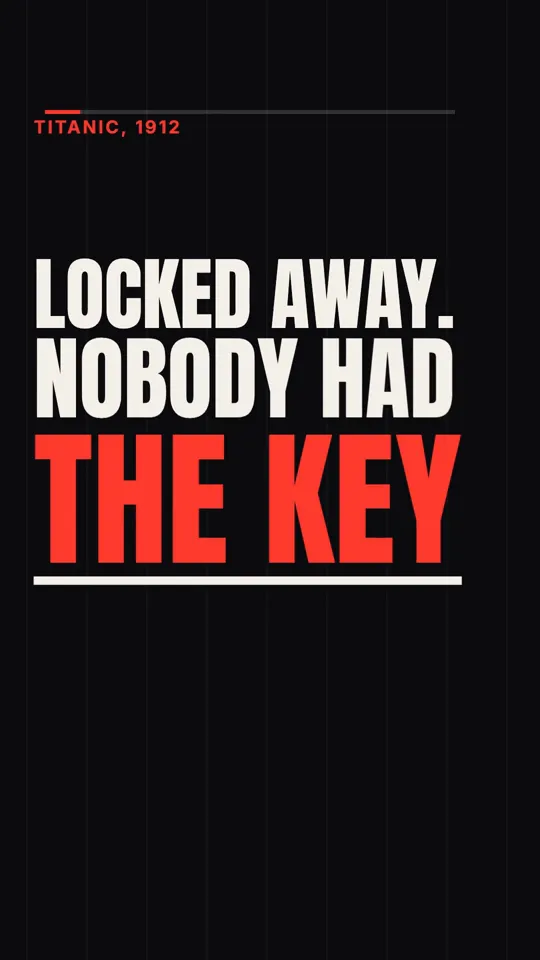
Kinetic type · 35 s
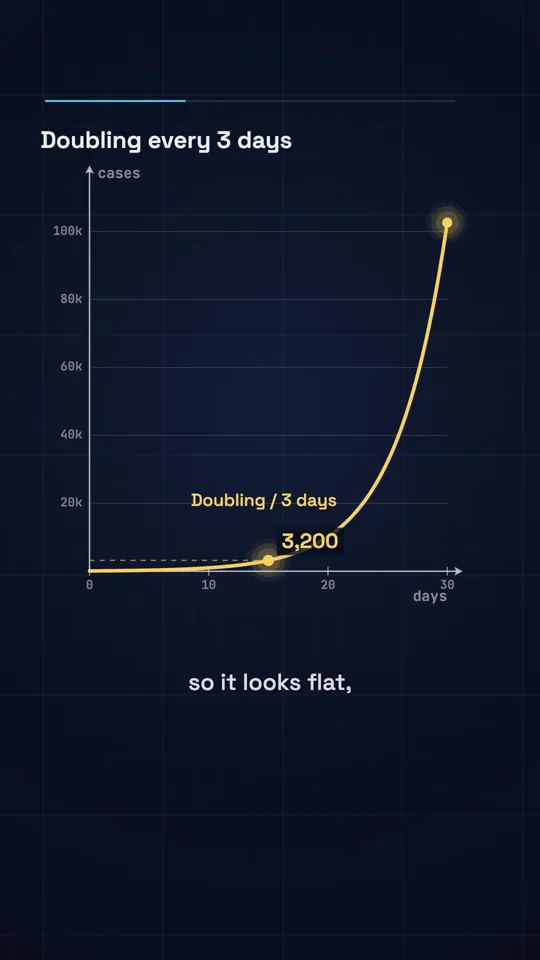
Diagram explainer · 41 s
Checking the final file on a phone
Specs and safe zones get you most of the way. The last check is human: watch the export on the phone you post from, full screen, before uploading. Look for four things. Can you read every caption at arm's length? Is anything important near the right edge or the bottom? Does the first frame make sense as a still? Does the audio start immediately?
Then post and look again in the app itself, with the real overlays drawn on top. If something is covered, fix the template, not just the one video. For what to post and how often, see how often to post on Instagram and TikTok, and for the creative side, how to go viral on Instagram Reels. Our existing guides cover the same frame for code-made video on Instagram and TikTok.
Specs handled for you in Video Studio
WhatToUpload's Video Studio renders every video at 1080x1920 with burned-in captions inside the safe box above, so the file is ready for Reels, TikTok and Shorts without a watermark. You type a topic and it writes the script, draws every frame as code, voices it and times the captions, in about 3 minutes. Styles live today are Kinetic type, Ink stickman and Diagram explainer; see the YouTube Shorts maker, the faceless video generator and the free tools.
Auto-posting to YouTube is live for testers; Instagram and TikTok posting is coming, so for now you download the MP4 and post it. Plans are $19, $49 and $99 a month. You get 10 free credits at signup, enough to try the script tools but not a full video, and a 30 second video is 26 to 30 credits.
Sources and methodology
Platform behaviour comes from Instagram's, TikTok's and YouTube's own documentation and statements, checked in November 2026. Third-party studies are listed with their sample and method, and treated as starting points for your own testing rather than rules. Creator figures from posts on X are the creators' own claims.
- 01Instagram Help Center: reel aspect ratio, frame rate and cover1.91:1 to 9:16, 30 fps and 720 px minimum, 420x654 cover, Upload at highest quality. Read November 2026.
- 02Instagram Help Center: reel lengthUp to 20 minutes; over 3 minutes not recommended to new audiences.
- 03Instagram Help Center: reels shown less oftenBorders, watermarks, mostly text, low resolution.
- 04Meta ads guide: Instagram Reels video ads14% top, 35% bottom, 6% sides; 1440x2560; up to 4 GB. Ads only.
- 05Social Media Today: Instagram rolls out a vertical profile grid19 January 2025, 3:4 grid.
- 06TikTok Support: creator tools and web uploadMP4 or WebM, 720x1280 or higher, up to 30 minutes, under 10 GB.
- 07TikTok Creator Academy: 8 tips for becoming a successful creator60 minute web uploads; horizontal videos get a full screen button.
- 08TikTok Ads Help: in-feed ads specs and safe zone templatesUpdated June 2026. Templates only, ads only.
- 09YouTube Help: Shorts up to 3 minutesSquare or vertical; claimed Shorts over a minute blocked.
- 10YouTube Help: get started with ShortsMaximum resolution 1080p.
- 11YouTube Help: custom thumbnailsShorts 2160x3840 recommended, desktop Studio.
- 12YouTube Official Blog: custom thumbnails for Shorts24 July 2026.
Frequently asked questions
What size should a Reel, TikTok or Short be?
1080x1920 pixels, a 9:16 vertical frame, at 30 frames per second. Instagram's stated minimums are 720 px and 30 fps, TikTok's web upload asks for at least 720x1280, and YouTube keeps Shorts at up to 1080p.
What is the safe zone for Instagram Reels?
Instagram publishes no organic safe zone. Meta's guidance for Reels ads is to keep 14% of the top, 35% of the bottom and 6% of each side clear, which on 1080x1920 leaves x 65 to 1015 and y 269 to 1248. Our organic convention is x 90 to 910 and y 260 to 1420.
What is the TikTok safe zone in pixels?
TikTok does not publish organic pixel margins. Its ads help offers downloadable safe zone templates whose size depends on dimensions and caption length. Keep text in the centre and clear of the right-hand button column and the bottom caption area.
How long can a Reel be in 2026?
As of November 2026, Instagram lets you record and edit reels up to 20 minutes, but reels over 3 minutes are not recommended to new audiences.
How long can a YouTube Short be?
Up to 3 minutes, in a square or vertical format. A Short over one minute with an active copyright claim is blocked globally.
What size is a Reels cover?
The Instagram Help Center still says 420x654 px (1:1.55), but the profile grid has shown 3:4 thumbnails since January 2025. Keep the subject and words centred so the cover works in both.
Why do my Reels look blurry after upload?
Usually a low-bitrate export, a re-downloaded copy, or the app reducing quality. Turn on Upload at highest quality under Menu, Your app and media, Media quality, and upload your original 1080x1920 master on a good connection.
Can I upload a Shorts thumbnail?
Yes, since 24 July 2026, from YouTube Studio on a computer. YouTube recommends 2160x3840 at 9:16. On mobile you can choose a frame from the Short.