
Alternatives
6 Revid alternatives worth trying in 2026
Revid is one of the broadest AI video platforms: more than 100 tools, AI video models up to 4K, voiceovers in more than 70 languages, direct publishing to TikTok, Instagram, YouTube and X, and an API, MCP server and CLI for automation. Its credits are a currency spent per asset, from images and voice seconds to clips of generated video.
That breadth is the reason to choose it and, for some creators, the reason to leave: when a video's cost is the sum of its assets, it changes with every choice you make. This page lists alternatives for the common reasons to switch, marks which one is ours, and says when Revid is still the right answer.
What Revid is genuinely good at
Worth knowing before you move, because some of this you will lose.
- The widest menu of formats and AI video models of any tool on this list
- Direct publishing to TikTok, Instagram, YouTube and X with post stats is live
- A published credit cost table, an estimated cost before you generate, and a free public endpoint that calculates credits
- Credit Boost packs never expire and get cheaper per credit at volume
- An API, MCP server and CLI for people who automate their pipeline
Why people look for something else
You want one price per video
Revid meters credits per asset: AI images, voice per 500 characters, motion graphics per second, AI video per 5 seconds by model. Its own rule of thumb puts a 30 s video with images and voice at 40 to 80 credits, and a 30 s Veo 3 video at 600 or more. If you would rather know the price of a video before you start, a fixed price per style and length is simpler.
Iterating spends credits
Because every regenerated asset is metered, trying variations costs as much as the first attempt. Tools that refund failed renders or price per finished video change that maths.
Plan credits do not roll over
Revid's credit cost page says plan credits reset at renewal. Only the separately bought packs carry over.
You want fewer decisions
A hundred tools and a dozen models is a lot of choice when what you want is one good explainer video from one topic.
The alternatives
Best for: Creators who want a finished explainer or story video from one topic, at a fixed price per video
Entry price (as of 4 Nov 2026): From $19/month (500 credits, about 19 videos) pricing page
Type a topic and get a finished vertical video in about 3 minutes: script, ElevenLabs voiceover, captions timed to the voice, music and sound. Claude writes the script and storyboard, and our renderer draws every frame as code in one of three styles: Kinetic type, Ink stickman or Diagram explainer. A 30 s video costs 26 to 30 credits, shown before you render; a failed render refunds automatically. Auto-posting and scheduling (on Pro and Studio), series and other formats are coming soon, not live: today you download the MP4 and upload it yourself.
Best for: Running several series at once and auto-posting to many platforms
Entry price (as of 4 Nov 2026): From $29/month (500 credits) pricing page
Unlimited series on one credit pool, auto-posting to seven platforms, and flat pricing for its default narrated storyboard short (20 credits), with AI video motion priced per second. Failed generations return their credits, and the first regenerate of every video is free.
Best for: Narrated AI image stories on autopilot, with credits that roll over
Entry price (as of 4 Nov 2026): From $39/month (400 credits) pricing page
Auto-generates and posts series of narrated videos with AI images, music and captions, with optional AI video models. Credits are priced by length band, roll over up to twice the monthly amount, and its help centre says failed videos return their credits automatically.
Best for: Many cheap image-story videos, posted to several social accounts
Entry price (as of 4 Nov 2026): From $20/month (30 credits, up to 15 videos) pricing page
Plans framed by posting pace, with many formats (AI image stories, Reddit, AI video with Veo or Seedance, animated explainers) on one credit balance. A basic image story costs 2 credits; premium types cost per scene or by length. Unused credits roll over while subscribed.
Best for: Prompt-to-video with stock footage or generative models, across many lengths and aspect ratios
Entry price (as of 4 Nov 2026): Free with watermark; paid from $9/month (190 credits) pricing page
A general AI video maker with stock media, a timeline editor and generative video models priced at what its FAQ calls their original API pricing. Credits work as a currency across features. A free plan exists with a watermark.
Best for: Template formats such as Reddit stories, fake texts and gameplay clips, edited by hand
Entry price (as of 4 Nov 2026): From $29/month, or $19/month billed quarterly (Hobby) pricing page
A template editor for short-form formats, with every tool on every plan and tiers that differ only by quotas: workflow credits, export minutes, voiceover minutes and AI images. Quarterly billing is the default view on its pricing page.
What WhatToUpload's output looks like
Three untouched renders from Video Studio, one per live style. Each started as a one-line topic.

Kinetic type · 33 s

Ink stickman · 35 s
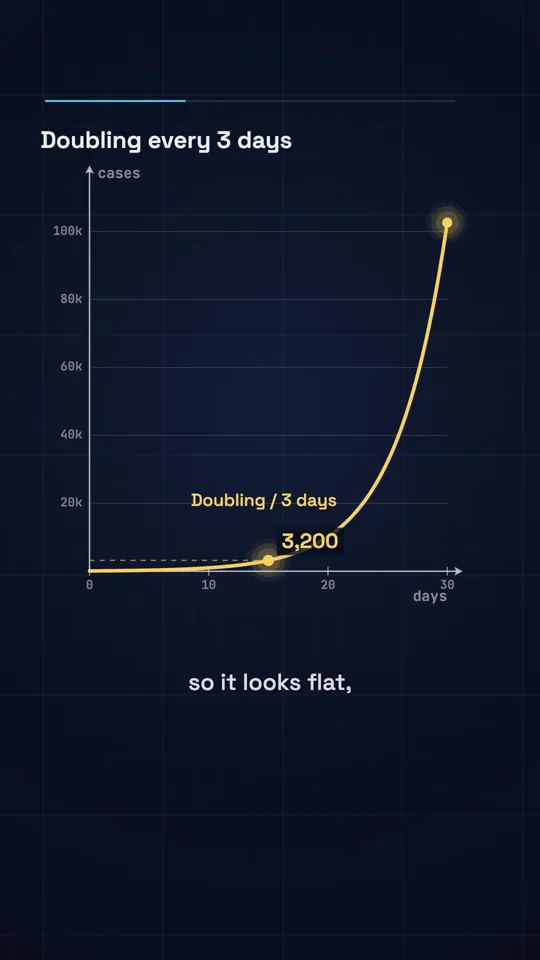
Diagram explainer · 41 s
Should you actually switch?
Stay with Revid if you use its range: several formats, AI video models, direct publishing to four platforms or its API. No alternative here matches all of that in one product, and WhatToUpload does not auto-post yet.
Switch if you mostly make one kind of video and want to know what it costs. WhatToUpload charges a fixed 26 to 30 credits for a 30 s video, shows it before you render, refunds failed renders automatically, and draws every frame as code so text and characters stay consistent. faceless.so prices its default storyboard short at a flat 20 credits; StoryShort prices by length band. Both auto-post.
Prices were read from each product's own pricing page on 4 Nov 2026. Check again before you buy.
For a line-by-line look at just us and Revid, see the WhatToUpload vs Revid comparison.
Questions
What is the best Revid alternative?
For a fixed price per video in a code-drawn style, WhatToUpload. For autopilot series with flat or length-band pricing and auto-posting, faceless.so or StoryShort. For a general prompt-to-video editor with stock footage, invideo AI.
Does WhatToUpload use AI video models like Revid?
No. Claude writes the script and storyboard, and our renderer draws every frame as code: real fonts, drawn lines, plotted graphs. That is why there are no AI faces and nothing drifts between frames, and also why we do not offer photoreal footage.
How do the prices compare?
As of 4 Nov 2026, Revid Growth is $39/month for 2,000 credits, and a 30 s video with images and voice uses 40 to 80 of them by Revid's own estimate. WhatToUpload Creator is $19/month for 500 credits, and a 30 s video is 26 to 30. The units are not the same, so compare the cost of the video you actually make.
Can WhatToUpload post to TikTok and YouTube for me?
Not yet. Auto-posting and scheduling are coming soon, on Pro and Studio. Today you download the MP4 and upload it yourself. Revid publishes directly today.
Is there a free Revid alternative?
invideo AI has a free plan with a watermark. WhatToUpload has no free plan: plans start at $19/month, and a 30 s video is 26 to 30 credits, shown before you render.