
What a faceless video generator should actually do
A faceless video is any video where the story carries it instead of a presenter: narration over type, drawings, diagrams or footage. They are popular on YouTube Shorts, Instagram Reels and TikTok because they remove the hardest part for most people, which is being on camera, and because a good topic can be told in thirty seconds.
The work that remains is still real work. Someone has to find a topic worth thirty seconds, write a script with a hook in the first line, record a voice, cut visuals to that voice, place captions word by word, add music that does not drown the voice, and export at 9:16. Done by hand that is an afternoon per video. A faceless video generator is only worth paying for if it does all of it, and does it well enough that you would post the result without opening an editor.
That is the bar Video Studio is built to: you make two decisions, the topic and the style, and the rest is rendered.
Why drawn as code, not generated by a video model
Most faceless generators stitch stock clips or AI images together, or ask a video model to invent the footage. Those approaches can look impressive in a single frame and fall apart over thirty seconds: text in the image melts into nonsense, hands gain fingers, a character's face changes between shots, and the style of episode two does not match episode one.
Video Studio works differently. Claude writes the script and a storyboard that says exactly which words, shapes and lines appear on each beat. Our renderer then draws every frame from that storyboard, the way a motion designer would build it in an animation tool. Type is set in real fonts. A stick figure is a set of lines that keep their proportions. A graph has an axis that stays put.
- Captions and on-screen words are always legible, because they are typeset, not painted by a model.
- Nothing drifts between frames: no morphing faces, no extra limbs, no flickering backgrounds.
- A series looks like a series. The same fonts, colours and pacing carry from one video to the next.
- No AI presenters and no synthetic people, so there is no uncanny valley to fall into.
Three faceless styles, each for a different kind of story
Pick the style that suits the topic rather than the one that looks most impressive. A story that hangs on one shocking number wants big type. A process with steps wants a drawing. Anything with a curve, a ratio or a comparison wants a diagram.
| Style | What you see | Good topics |
|---|---|---|
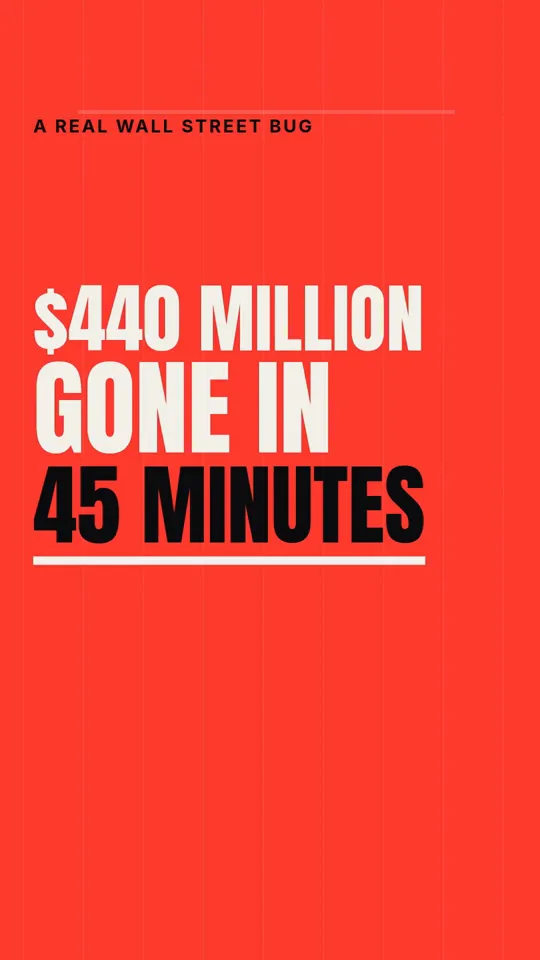
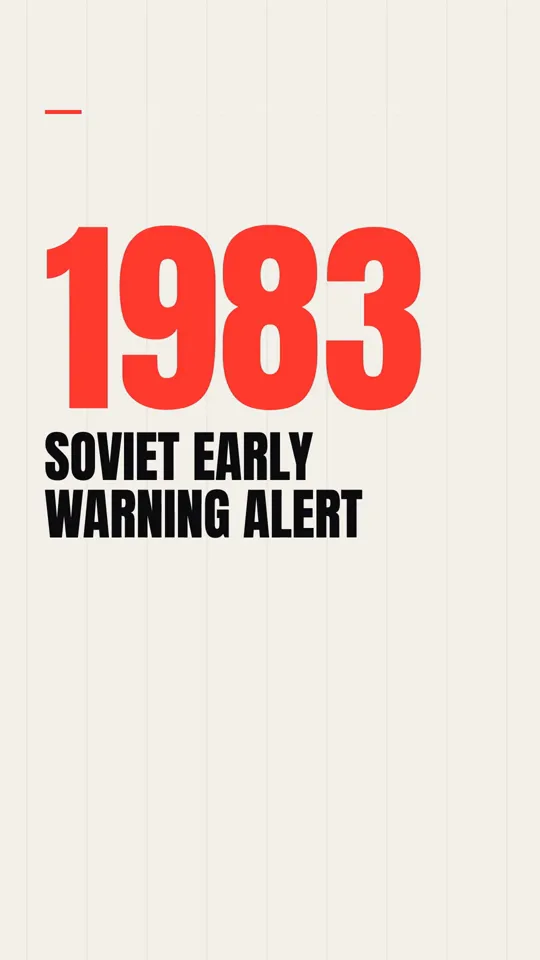
| Kinetic type | Huge words land the moment they are spoken, on dark or paper backgrounds with one red accent | Disasters, money stories, history in one line, hot takes, countdowns |
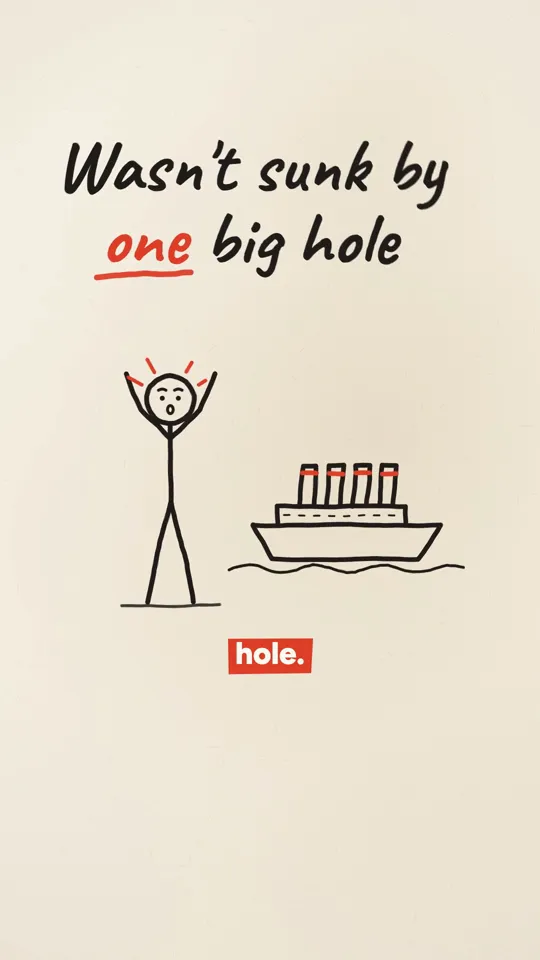
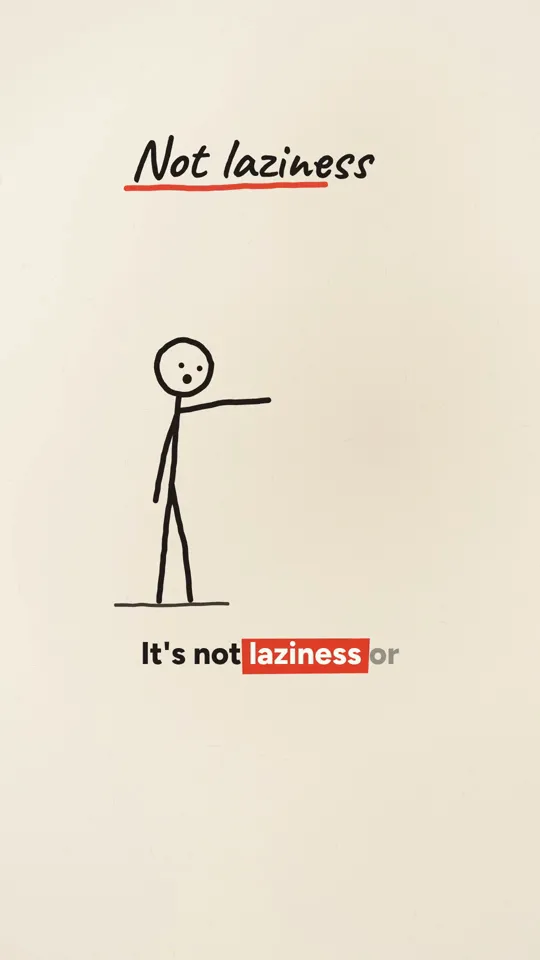
| Ink stickman | A stick figure drawn in ink acts out the narration, with hand-lettered labels and simple props | Psychology, life lessons, how something happened, cause and effect |
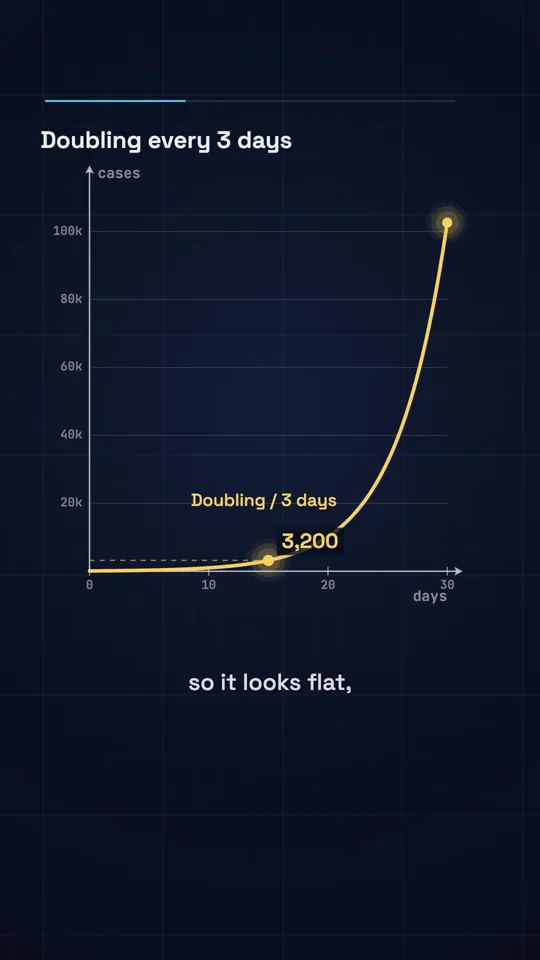
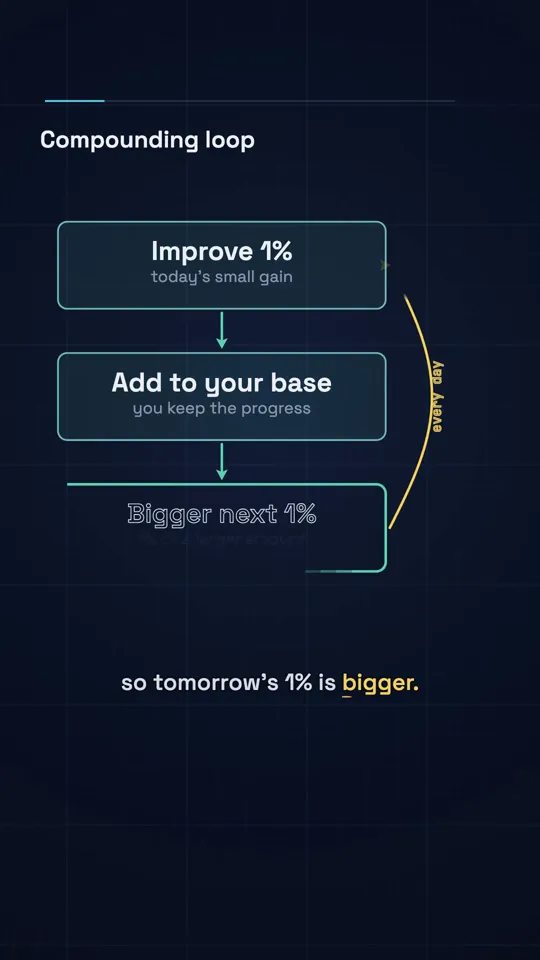
| Diagram explainer | Graphs, equations and shapes draw on and morph on a dark grid | Maths, science, personal finance, anything with a number in it |
Faceless niches that suit this kind of video
Some faceless niches need footage this tool does not make, such as gameplay or real-world clips. These are the ones where narration plus type, drawings or diagrams is the natural fit, with a topic you could type in today:
- History: "The Titanic's lookouts had no binoculars, because nobody had the key."
- Engineering failures: "The Mars probe lost to a mix-up between pounds and newtons."
- Personal finance: "What $200 a month becomes after 30 years of compound interest."
- Psychology: "Procrastination is not laziness: it is avoiding a feeling."
- Science and maths: "Why exponential growth always surprises people."
- Business stories: "How a trading firm lost $440 million in 45 minutes."
- Self improvement: "Is 1% better a day really 37 times better in a year?"
How to get a better video out of one sentence
The topic box takes a single line, and the quality of that line decides most of the result. A specific claim beats a broad subject: "why the Titanic sank" gives a decent explainer, while "the Titanic was not sunk by one big hole" gives a video with a hook already built in. If you know the angle, put it in the topic.
Thirty seconds holds one idea with a twist. Sixty seconds holds one idea, a reason and a consequence. If your topic needs three separate points to make sense, it is two or three videos, not one long one, and splitting it gives you more to post.
Scripts follow the same rule WhatToUpload's script writer has always followed: they are built from facts you can check and do not invent statistics. Read the script before you post, as you would with anything published under your name, and keep the claims you can stand behind.
How to make a faceless video in about three minutes
Type a topic
One sentence about what the video should say. A specific claim or question works better than a broad subject.
Pick a style and a length
Kinetic type, Ink stickman or Diagram explainer, at 30 or 60 seconds. The credit cost is shown before anything starts.
Let it render
Claude writes the script and storyboard, ElevenLabs records the voiceover, captions are timed to the voice's own word timings, and music and sound are mixed in. Progress shows live.
Download and post
You get a 9:16 MP4 that is yours to post on YouTube Shorts, Instagram Reels or TikTok. Auto-posting and scheduling are coming soon, on Pro and Studio; today you upload it yourself.
Styles and what each video costs
Prices are fixed per style and length, shown before you render, and charged only for a finished video: a failed render refunds its credits automatically.
| Style | Best for | 30 s video | 60 s video |
|---|---|---|---|
| Kinetic type | Facts, money, history, hot takes | 26 credits | 42 credits |
| Ink stickman | Explainers, life lessons, how things work | 30 credits | 48 credits |
| Diagram explainer | Science, maths, money and data stories | 30 credits | 48 credits |
| Systems explained | How apps work, system design, tech explainers | 30 credits | 48 credits |
| Avatar explainer | Tutorials, product walkthroughs, how-to | 45 credits | 75 credits |
| Comic book | Scary stories, mythology, legends, superhero-style origin stories | 85 credits | 160 credits |
| 3D cartoon | Acts of kindness, school drama, family stories, fables and lessons | 85 credits | 160 credits |
| Anime | Anime stories, school drama, rivals and friendship, fantasy adventures | 85 credits | 160 credits |
| Cinematic | History, heists, survival stories, famous mysteries | 85 credits | 160 credits |
| Dark fantasy | Mythology, legends and curses, scary stories, epic battles | 85 credits | 160 credits |
| Painterly | Bible stories, history, fables, mythology | 85 credits | 160 credits |
| Noir crime | True crime, heists, detective stories, unsolved cases | 85 credits | 160 credits |
| Flat cosmos | Space and science, biology and the body, how big or small things are, nature | 30 credits | 48 credits |
| Clip collage | History and politics, how something happened, business stories, timelines | 30 credits | 48 credits |
| Morph math | Maths and logic, how algorithms work, probability, physics | 30 credits | 48 credits |
| Storytime | Funny true stories, fails and disasters, life lessons, weird history | 30 credits | 48 credits |
| Market chart | Company growth, markets and prices, economics, money myths | 30 credits | 48 credits |
| Countdown | Top 5 to top 10 lists, records and extremes, rankings, history's biggest | 30 credits | 48 credits |
| Starry swirl | Space and the night sky, science, history, calm explainers | 45 credits | 72 credits |
| Water lilies | Nature and biology, calm facts, gardens, wellness | 45 credits | 72 credits |
| Pointillist | Perception and the brain, science, colour and light | 45 credits | 72 credits |
| Golden mosaic | Gold, wealth and treasure, history, chemistry | 45 credits | 72 credits |
| Tomb mural | Ancient Egypt, history, mysteries | 45 credits | 72 credits |
| Renaissance fresco | Inventions and engineering, history, biographies | 45 credits | 72 credits |
| Bauhaus | Design and technology, how things work, systems | 45 credits | 72 credits |
| Pop art | Happy accidents and inventions, pop culture, brands | 45 credits | 72 credits |
| Art nouveau | Paris and Europe, architecture, history | 45 credits | 72 credits |
| Dunhuang mural | Silk Road and Asia, history, religion and culture | 45 credits | 72 credits |
| Persian miniature | Ancient engineering, Middle East history, travel | 45 credits | 72 credits |
| Night diner | Sleep and the mind, late-night science, city life | 45 credits | 72 credits |
| Tilt-shift miniature | Cities and travel, logistics and transport, real estate, how a place works | 45 credits | 72 credits |
| Brick toy | Kids and family, how things are built, startups and products, space and science | 45 credits | 72 credits |
| Pop-up book | Stories and fables, kids and family, history, travel | 45 credits | 72 credits |
| Newsreel | History, inventions, business origin stories, world records | 45 credits | 72 credits |
| Impasto oil | Art and culture, history, emotional stories, cities at night | 45 credits | 72 credits |
| Urban sketch | Travel and places, city guides, food and cafes, architecture | 45 credits | 72 credits |
| Shadow puppets | Folk tales and legends, history, kids stories, moral lessons | 45 credits | 72 credits |
| Low-poly island | Games and tech, world building, climate and nature, startups | 45 credits | 72 credits |
| Isometric picture book | How things work, cities and buildings, jobs and industries, kids and family | 45 credits | 72 credits |
| HD-2D | Gaming, fantasy and legends, history as adventure, self-improvement quests | 45 credits | 72 credits |
| White model | Architecture and cities, urban planning, engineering, product design | 45 credits | 72 credits |
| Sci-fi toon | Science and tech, weird facts, comedy explainers, gaming | 45 credits | 72 credits |
| Glass product | Product launches, tech and gadgets, luxury, beauty | 45 credits | 72 credits |
| Satellite briefing | Geography and borders, climate and disasters, mega projects, military history | 45 credits | 72 credits |
| Archive light table | History, archives and discoveries, biographies, investigations | 45 credits | 72 credits |
| Microscope | Biology and health, science explainers, food and fermentation, germs and immunity | 45 credits | 72 credits |
| LiDAR scan | Cities and infrastructure, archaeology and ruins, engineering, disasters and change | 55 credits | 88 credits |
| Riso print | Indie brands, lifestyle, zines, music | 30 credits | 48 credits |
| Amber terminal | Tech history, hacking and security, developer tools, sci-fi | 30 credits | 48 credits |
| Swiss grid | Design and architecture, brand stories, business explainers, events | 30 credits | 48 credits |
| Case file | True crime, mysteries, funny investigations, pets and animals | 30 credits | 48 credits |
| Game show | Quizzes and trivia, rankings, kids and family, year in review | 30 credits | 48 credits |
| Blueprint | Engineering, how things work, inventions, hardware | 30 credits | 48 credits |
| Gilded deco | Luxury and fashion, galas and events, jazz-age history, hotels and travel | 30 credits | 48 credits |
| Chalkboard | Lessons and explainers, myth-busting, word origins, math and science | 30 credits | 48 credits |
| Whiteboard | How-to explainers, online courses, business ideas, productivity | 30 credits | 48 credits |
| Dark keynote | Product launches, tech and AI news, startups, SaaS tips | 30 credits | 48 credits |
| Feed news | News explainers, money and markets, viral facts, data shorts | 30 credits | 48 credits |
| News bulletin | Weekly round-ups, breaking explainers, market updates, sports news | 30 credits | 48 credits |
| Atomic fifties | How-to and set-up guides, home and cooking, retro brands, life hacks | 30 credits | 48 credits |
| Rubber hose reel | Food and drink, retro brands, fun history, kids | 30 credits | 48 credits |
| Silent intertitle | History stories, anniversaries, old inventions, comedy | 30 credits | 48 credits |
| Ink wash | Philosophy and quotes, culture and history, calm explainers, poetry | 30 credits | 48 credits |
| Woodblock wave | Travel, Japan and culture, nature and the sea, history | 30 credits | 48 credits |
| Woodcut | Folk tales, dark history, craft brands, book stories | 30 credits | 48 credits |
| Copperplate | Science and nature, museums and heritage, old maps and explorers, medicine history | 30 credits | 48 credits |
| Travel poster | Travel and places, city guides, outdoors, events | 30 credits | 48 credits |
| Sixties titles | Mysteries and heists, spy and war history, trailers, fashion | 30 credits | 48 credits |
| Pictogram grid | Catalogues and countdowns, city and public services, step-by-step guides, brand facts | 30 credits | 48 credits |
| Circuit board | Energy and electricity, chips and computers, supply chains, how the internet works | 30 credits | 48 credits |
| Transit map | Cities and transport, growth over time, networks, travel tips | 30 credits | 48 credits |
| Data story | Data journalism, economics, climate and science, health statistics | 30 credits | 48 credits |
| Hologram HUD | Space and future tech, specs and comparisons, gaming, AI | 30 credits | 48 credits |
| 16-bit quest | Gaming, nostalgia, level-up and self improvement, fantasy and lore | 30 credits | 48 credits |
| Neon night | Music, retro tech and games, night life, cars | 30 credits | 48 credits |
| Stained glass | Legends and myths, medieval history, heritage, holiday stories | 30 credits | 48 credits |
| Red paper-cut | Festivals and holidays, folk tales, greetings, food traditions | 30 credits | 48 credits |
| Paper lightbox | Journeys and travel, bedtime and calm stories, places and memories, anniversaries | 30 credits | 48 credits |
| Crayon book | Kids and family, bedtime stories, simple science, feel-good facts | 30 credits | 48 credits |
| Watercolour journal | Nature and travel, food and gardening, wellbeing, science of everyday life | 30 credits | 48 credits |
| One line | Brand stories, life lessons, minimal ads, psychology | 30 credits | 48 credits |
| Memphis pop | Lifestyle and design, pop culture, fun facts, fashion | 30 credits | 48 credits |
| Agit-prop | Industry and labour history, big achievements, revolutions, manifestos | 30 credits | 48 credits |
| Found tape | Mysteries and unsolved cases, creepy facts, internet legends, psychology | 30 credits | 48 credits |
| Match analysis | Sports analysis, strategy and tactics, competition stories, business rivalries | 30 credits | 48 credits |
| Night city | Cities and urbanism, economy and scale, commuting and work, night life | 30 credits | 48 credits |
| Isometric blocks | Process explainers, supply chains, how companies work, logistics | 30 credits | 48 credits |
Creator $19/month for 500 credits (about 19 videos), Pro $49 for 2,000 (about 75), Studio $99 for 4,500 (about 170). Counts assume 30 s Kinetic type videos. Cancel any time.
What it does not do yet
Worth knowing before you sign up. All of these are coming soon; none of them are live today.
- Auto-posting and scheduling to YouTube, Instagram and TikTok, on Pro and Studio. Today you download the MP4 and upload it yourself.
- Series and autopilot, where a new episode is made on a schedule without you starting each one.
- More styles beyond Kinetic type, Ink stickman and Diagram explainer.
- Other formats: Reddit stories, fake text conversations, brainrot and gameplay split-screen.
Questions
What is a faceless video generator?
A tool that turns a topic or script into a finished video without anyone appearing on camera: narration over visuals such as type, drawings, diagrams or footage. WhatToUpload's Video Studio makes vertical videos this way, with the visuals drawn as code rather than generated by a video model.
How long does one video take?
About three minutes from pressing render to a finished video, including the script, voiceover, captions, music and the render itself.
Is it free?
No. Plans start at $19/month: Creator is 500 credits, about 19 videos, since a 30 second video costs 26 credits in Kinetic type and 30 in the other two styles. The price shows before you render, and you can cancel any time.
Can I monetise faceless videos made with it?
The video is yours to post and monetise. Each platform's own rules still apply: YouTube's Partner Program, for example, does not pay for repetitive or mass-produced content. Use the tool to make good videos faster, not to flood a channel with near-identical uploads.
Does it use AI avatars, stock footage or AI-generated clips?
No. There are no avatars, no stock clips and no footage from a video model. Every frame is drawn by our renderer from a storyboard Claude writes, which is why type stays crisp and nothing drifts.
Can it post to YouTube, Instagram and TikTok for me?
Not yet. Auto-posting and scheduling are coming soon, and so is a series mode that makes episodes on a schedule. Today you download the MP4 and upload it yourself.
What happens if a render fails?
The credits go back to your balance automatically. You only pay for videos you actually get.
Can I make Reddit story, fake text or gameplay split-screen videos?
Not today. Those formats are coming soon. The live styles are Kinetic type, Ink stickman and Diagram explainer.