
How to grow on Instagram with Claude Code videos
November 5, 2026 · 6 min read
Claude Code can make a Reel that looks designed rather than generated: exact type, clean diagrams, a character who never changes between videos. That is a real advantage on Instagram, where many AI pages post slideshows of drifting images. It is not a growth strategy on its own.
This guide is the strategy part: which Reels formats suit code-drawn video, how to build a hook that survives the first second, where the safe zones are, how to caption, and a cadence you can sustain without the account turning into a pile of near-identical posts.
Short on time? Video Studio does all of this from one sentence in about 3 minutes. See how
Reels-ready, drawn as code
Vertical 9:16 with burned-in captions and every word inside the safe area. Untouched renders.
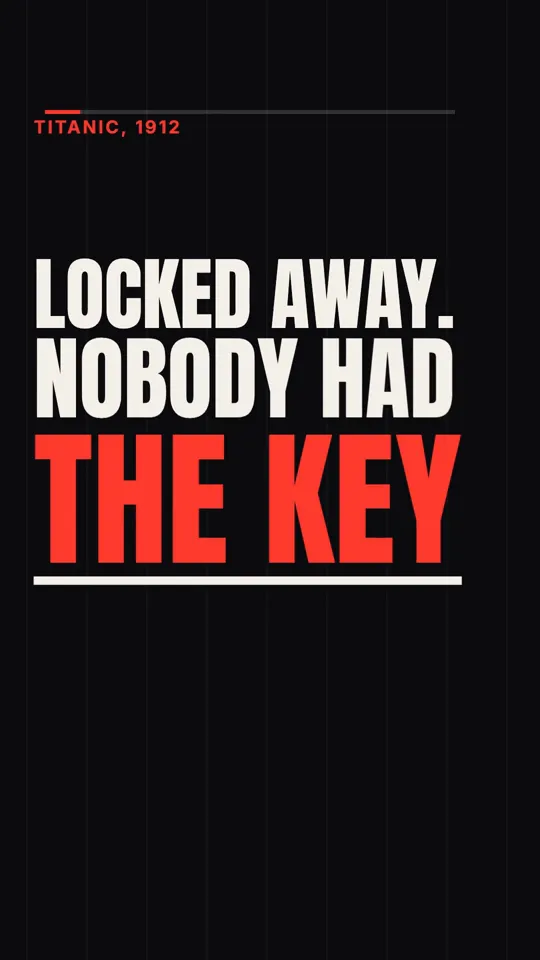
Kinetic type · 35 s
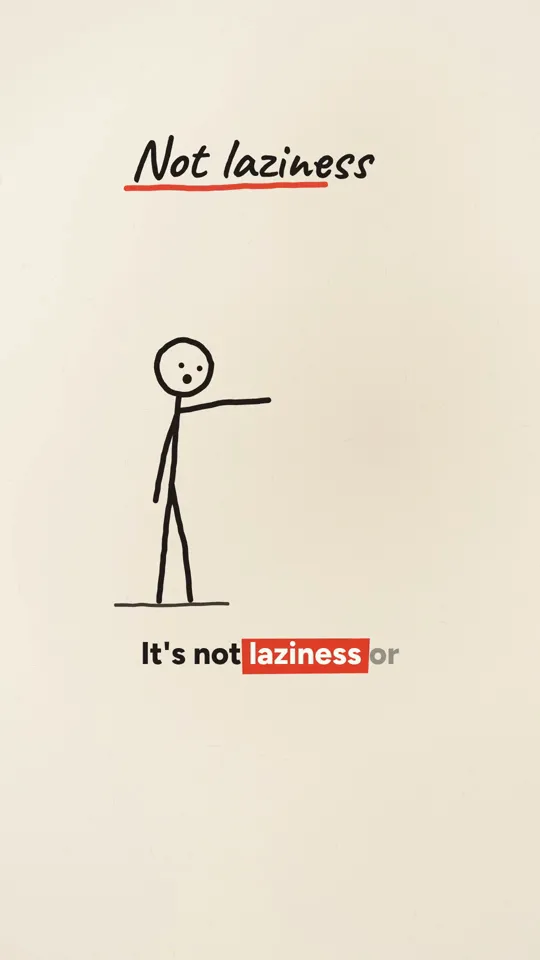
Ink stickman · 35 s
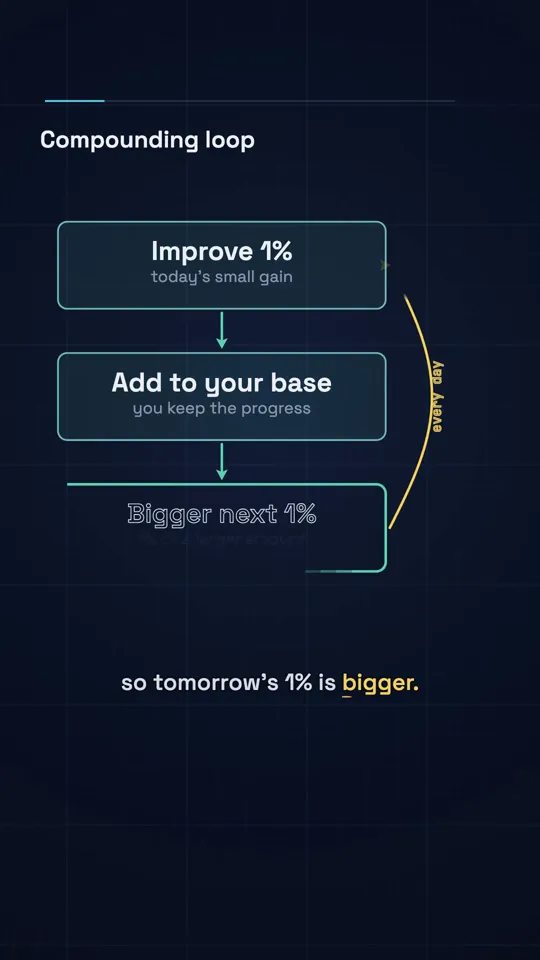
Diagram explainer · 41 s
Set the account up for Reels
- Switch to a professional account (Creator or Business). You get insights on every Reel, and any tool that publishes to Instagram through its API needs a professional account.
- Pick one subject the page is about and say it in the bio in plain words. A page about "the maths behind everyday money" gives people a reason to follow that a page about "interesting stuff" does not: they know what following it gets them.
- Choose one visual style and keep it. Your grid is a preview of what the next Reel will look like; a consistent look is a promise.
- Make a profile picture and a cover style that match the Reels, so a visitor who taps through from one video recognises the page.
Reels formats that suit code-drawn video
Code is best at type, diagrams, simple characters and anything with a number in it. These formats play to that.
| Format | What it is | Why it works on Instagram |
|---|---|---|
| One surprising fact | A single fact told in 20 to 35 seconds of kinetic type | Short enough to rewatch; easy to share with a friend |
| Explained in 30 seconds | An ink stickman or diagram walk through one mechanism | People save explainers to come back to |
| Numbers you can feel | A graph that draws on: compound interest, 1% a day, population | The curve is the payoff, and it looks good muted |
| Myth versus reality | Split the screen: the belief, then what is true | Sparks comments, invites disagreement |
| Series episode | Part 3 of a recurring theme with a number on screen | Gives a reason to follow, not just to watch |
| Quote, illustrated | A verified quote with a painterly or kinetic treatment | Shareable in Stories; check every attribution |
Hooks: the first second decides
The opening frame is what people see before the Reel moves, and unless you pick a cover it is also what shows in your grid, so it has to work as a still and as motion. Put the most interesting thing on screen at frame zero, not after a title card. If the video's payoff is a number, show the number first and the explanation after.
Write the hook as text on screen and as the first spoken line, and make them say the same thing. Many people start a Reel muted; the on-screen hook is what they read.
- Start with the consequence, then the cause: "$125 million lost to one unit conversion."
- Ask the question the video answers: "Why do we always underestimate exponential growth?"
- Contradict a belief: "Procrastination is not laziness."
- Avoid openers that delay: "In this video", "Did you know", "Here's something crazy".
Safe zones and captions
Instagram covers parts of a Reel with the caption, your handle, the audio label and the like, comment and share buttons. Anything important under them is lost. On a 1080 by 1920 frame we keep every word and key visual inside x 90 to 910 and y 260 to 1420, a box that clears both Reels and YouTube Shorts interfaces, and we check it automatically on every render.
Burn captions into the video rather than relying on automatic ones, because you control the font, the size and the timing. With word timings from your text to speech, show one short phrase at a time with the spoken word highlighted. Keep captions large enough to read on a phone at arm's length; if you have to squint at your laptop preview, it is too small.
PLATFORM  Instagram Reels, 1080x1920, 30 fps, 20 to 40 s.
SAFE AREA Every word and key visual inside x 90..910, y 260..1420.
          Nothing important in the bottom 500 px or the right 170 px.
FRAME 0   The hook is fully on screen at t = 0 and readable as a still.
CAPTIONS  Burned in, one phrase at a time (max 4 words), active word
          highlighted, timed from voice.json. Min cap height 56 px.
MUTED     The story must make sense with the sound off.
END       No "follow for more" card. End on the payoff line.
A cadence you can actually keep
There is no magic number, and nobody outside Instagram can tell you one honestly. What we can say is how the work scales: one Reel a day means seven scripts, seven voiceovers and seven renders a week, and with an agentic Claude Code session at our measured $7 to $13 per 60 second video, that is a real weekly cost in tokens or subscription usage. Three a week done well beats seven done in a rush.
A sensible start: three Reels a week for four weeks, in one format and one style. Then look at which ones people watched to the end, saved and sent, and make more of those. Change one thing at a time (the hook pattern, the length, the format), or you will not know what moved the numbers.
Read the right numbers
- Watch time and the share of viewers who reach the end tell you whether the video works.
- Sends and saves tell you whether it is worth something to the viewer. For explainers, saves often matter more than likes.
- Reach from non-followers tells you whether Instagram is showing it beyond your audience.
- Follows per Reel tell you whether the page, not just the video, is worth following. Series formats tend to win here.
- Ignore one-day spikes. Compare Reels in batches of five or more.
Keep it original
Instagram's recommendations favour original content, and a page of near-identical posts is the easiest thing for any platform to downrank. A code-drawn style helps with recognisability, but each Reel still needs its own story, its own visuals and its own narration. Vary the opening move, the main graphic and the accent between neighbours, and do not reuse one music loop on everything.
Do not cross-post a video with another platform's watermark or end screen. Render a clean cut for Instagram, and if you also post to TikTok or Shorts, render those separately too.
A workflow for one week of Reels
- Pick three topics with a real story and a source for every fact.
- Have Claude write three scripts to your format, then read each aloud and rewrite any hook that falls flat.
- Generate the voiceovers with word timings.
- Make each Reel in a fresh session with your style recipe and the Reels brief above. Check stills before the full render.
- Watch each one on your phone, sound off and then on.
- Post on the days your insights show your followers are most active, and reply to the first comments yourself.
Questions
Can Claude post to Instagram for me?
Claude Code can call a publishing API if you set one up, but Instagram only allows API publishing for professional accounts through an approved app. Many people simply download the MP4 and post it from their phone.
Do AI videos get less reach on Instagram?
Instagram does not publish a penalty for AI-assisted video. What it does say is that it favours original content. Reels that are varied and specific do fine; recycled and repetitive ones do not, however they were made.
Do I need to label code-drawn videos as AI generated?
Meta asks for a label on realistic AI-generated or altered images, video and audio. An animated diagram or kinetic type is not realistic footage, but if you add AI-generated photos, people or voices that could be mistaken for real, label it.
How long should a Reel be?
Long enough for the story and no longer. Most single-fact and explainer Reels we make land between 20 and 45 seconds. Start shorter; it is easier to earn a rewatch than to hold someone for a minute.
What frame size should Claude render for Reels?
1080 by 1920 pixels, 9:16, at 30 fps, with every important element inside the safe area described above.
Sources
Cost and render figures are our own measurements from November 2026 unless a source says otherwise. View and revenue figures from creators are their own claims, linked so you can judge them.