
How to make kinetic typography cut to the beat with Claude
November 5, 2026 · 9 min read
Kinetic typography is the oldest trick in motion design and still one of the most effective on short-form video: words, very large, arriving exactly when they are said or exactly on the beat, each with a little weight. When it works the viewer reads the video rather than watching it, and the rhythm carries them to the end.
It is also the style where code has the biggest advantage. Type is text, timing is numbers, and a word that lands two frames late is a one-line fix. This tutorial is a method for making kinetic type with Claude that actually feels cut to the beat, built from what creators who do it well have published, and from how we approach it in our own Kinetic type style.
Two kinds of kinetic type
Voice-led kinetic type puts each word or phrase on screen as it is spoken. The timing source is the narration, and the job is legibility and emphasis: the key word in each line is the one that slams in. Music-led kinetic type puts words and changes on the beats of a track, usually for a product film, a launch or a lyric video. The timing source is the music, and the job is rhythm.
Most good Shorts combine them: the voice decides which word appears, and the beat grid decides when transitions happen between lines. Decide which clock is in charge before you build, because it changes everything downstream.
What creators published
zero (@twoclipping) builds his launch films on a beat count: "120 BPM, 54 beats, something happens on every beat". Text rises out of a mask line rather than fading, and his prompts ban crossfades, blur-ins and holds longer than a second.
Raphael Aubry has the most useful warning: "Never trust an automatic beat grid." On one of his tracks the detected bar was two beats off, which put the drop on nothing. He finds the drop by energy instead, then places every sound by its measured peak.
Emm of Scenario (@emmanuel_2m) released a kinetic-film skill in which Claude writes, animates and cuts a whole product film to the beat from a few lines of description, with music and effects generated by his company's service. And the huashu-art-motion skill summarises the style in one line that is hard to improve: the key word slamming into the frame.
On the reading side, beamnxw counts the reading window from the moment words become legible, and points out that an eight frame hold at 30 fps gives a viewer about a quarter of a second. That one number explains most unreadable kinetic type.
Step 1: measure the track before you animate
For music-led type, pick the track first and analyse it with Python. You want the tempo, the beat times, the downbeats and the drop. Beat trackers are good at tempo and often wrong about where the bar starts, so confirm the drop separately by measuring low-frequency energy over time and finding the jump.
Beats from librosa, drop from bass energy
import librosa, numpy as np, json
y, sr = librosa.load("track.wav", sr=44100, mono=True)
tempo, beats = librosa.beat.beat_track(y=y, sr=sr, units="time")

# drop: biggest jump in bass energy (below 150 Hz), 20 ms hops
hop = int(0.02 * sr)
S = np.abs(librosa.stft(y, n_fft=4096, hop_length=hop))
freqs = librosa.fft_frequencies(sr=sr, n_fft=4096)
bass_db = 20 * np.log10(S[freqs < 150].sum(axis=0) + 1e-9)
drop = float(np.argmax(np.diff(bass_db)) * hop / sr)

json.dump({"bpm": float(tempo), "beats": beats.tolist(), "drop": drop},
          open("beats.json", "w"), indent=1)
Then decide where the drop lands in your film (usually the key visual moment) and start the song at the drop time in the track minus the drop time in the film. Listen to the result with a click track before building anything else.
Step 2: for voice-led type, get real word times
For narration, you need the start and end of every word. ElevenLabs can return timestamps with generated audio, and a local transcription with faster-whisper or stable-whisper gives word times for any recording. When you already have the script, alignment is more reliable than free transcription, because the model only has to find where known words fall.
Write numbers twice in your script: the caption form ("$440 million") and the spoken form ("four hundred forty million dollars"), so the voice reads them correctly and the caption shows the compact version.
Step 3: map words to beats in a cue sheet
Before any animation code, write a cue sheet: every word or phrase that appears on screen, its start time, which beat or word it is locked to, its size class and its entrance. Claude is very good at producing this from the script and beats.json, and it is much easier to review as a table than as motion.
A cue sheet (voice-led, with the beat grid for cuts)
T      LOCK          TEXT              SIZE  ENTRANCE
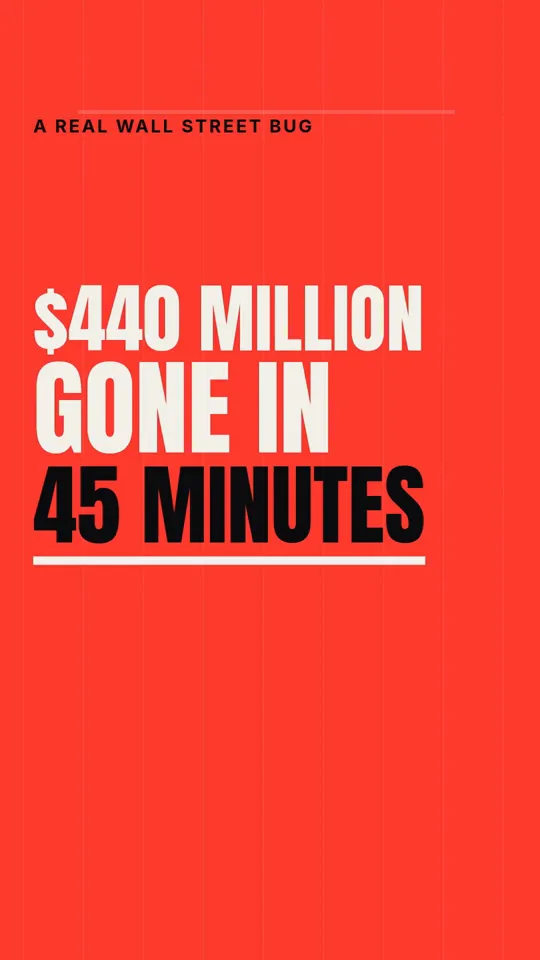
0.00   beat 1        $440 MILLION      XXL   slam (scale 1.6 -> 1)
1.05   word "gone"   GONE              XL    drop from above, hard stop
1.62   word "in"     IN                S     rise through mask
1.80   word "45"     45 MINUTES        XL    counter ticks 0 -> 45
3.00   beat 5        (cut) new line    -     hard cut, no transition
3.02   word "Knight" KNIGHT CAPITAL    L     type on, 2 frames per letter
Two rules keep the sheet honest. One accented word per line, never two. And every line needs a reading hold that starts when the line is fully legible, not when it starts moving.
Step 4: set type for a phone
Kinetic type on a phone needs to be bigger than feels natural on a monitor. Check every line at 360 pixels wide, which is roughly what a viewer sees. Use one heavy display face and at most one supporting face. Use a consistent size scale (for example S, M, L, XL, XXL as fixed ratios) rather than letting every line pick its own size, because a scale is what makes a sequence feel designed.
Measure before you animate. Wrap and fit each line with the real font loaded, and plan the layout for the longest line you will ever put in that slot. beamnxw's advice for headlines applies directly: if the longest version wraps onto three lines, shorten the copy or change the box before you touch motion.
Fit a line to a box with the real font
await document.fonts.load('900 200px "Inter"');
function fitSize(ctx, text, maxW, maxSize) {
  let s = maxSize;
  ctx.font = `900 ${s}px Inter`;
  while (ctx.measureText(text).width > maxW && s > 24) {
    s -= 2; ctx.font = `900 ${s}px Inter`;
  }
  return s;
}
Step 5: entrances with mass
Kinetic type looks cheap when words fade in or slide on a linear curve. It looks expensive when each entrance has mass: a slam that overshoots a few percent and settles, a drop that stops hard, a rise through a mask line so the word appears from behind an invisible edge. The tools are the same as for any code-made motion: closed-form springs and eases computed from time, so any frame can be drawn on its own.
A slam and a masked rise, both pure functions of t
const spring = (tau, f = 4, z = 0.55) => tau <= 0 ? 0 :
  1 - Math.exp(-z * 2 * Math.PI * f * tau) *
  Math.cos(2 * Math.PI * f * Math.sqrt(1 - z * z) * tau);

function slam(ctx, word, t, t0) {
  const s = 1.6 - 0.6 * spring(t - t0);       // 1.6x -> 1x, overshoots
  ctx.save(); ctx.scale(s, s); ctx.fillText(word, 0, 0); ctx.restore();
}

function rise(ctx, word, t, t0, h) {
  const u = Math.min(1, Math.max(0, (t - t0) / 0.28));
  const ease = 1 - Math.pow(1 - u, 5);          // ease-out-quint
  ctx.save();
  ctx.beginPath(); ctx.rect(-2000, -h, 4000, h * 1.2); ctx.clip(); // mask
  ctx.fillText(word, 0, h * (1 - ease) * 1.3);
  ctx.restore();
}
Vary the entrances by meaning, not at random. Numbers count up. Warnings drop and stop hard. Quiet words rise. Names type on. If every word slams, nothing feels emphatic.
Step 6: one accent colour, used sparingly
Almost every strong kinetic type piece uses one accent colour on a neutral ground, and reserves it for the single most important word or number in each line. Our own Kinetic type style uses one red accent; twoclipping's films use one lime. The moment two words per line are accented, the accent stops meaning anything.
Step 7: transitions on the grid
Between lines, cut on beats. Hard cuts on the beat feel deliberate; transitions that drift across beats feel sloppy. If you use a transition, give it a shape that belongs to the style: a word that grows to fill the frame and becomes the background of the next line, a mask that wipes on a downbeat. Keep big moments (the hook, the key number, the turn) on downbeats or the drop.
If you want film-like motion blur on the fast slams, render several subframes per frame and blend them. Our post on motion blur, beat sync and sound design covers how many and why.
Kinetic type · 33 s
Kinetic type · 35 s
Kinetic type · 34 s
Step 8: check the reading holds
The most common failure is type that moves beautifully and cannot be read. Check it like this: for each line, find the frame where it becomes fully legible and the frame where the next event takes attention away, and compute the hold. Read every line aloud at normal speed against the video; if you cannot finish the line, the hold is too short. As a rough guide, short lines need well over half a second of stillness, and a line a viewer must read rather than hear needs more.
Then make Claude review it at phone size with a contact sheet and a strip of frames around each slam. Our post on the critic loop has a prompt and checklist.
Pitfalls
- Trusting the beat tracker's downbeats. Confirm the drop by energy.
- Fading words in. In this style words arrive as objects.
- Two accents per line.
- Holds measured from when motion starts rather than when the words are readable.
- Type sized on a monitor. Check at 360 pixels wide.
- A different font size per line with no scale.
- Captions that duplicate the kinetic type. If the type already says it, do not add subtitles on top.
- Letting every word animate. Small connecting words can simply appear.
Cost and time
Kinetic type is the cheapest code-made style to render: there is no 3D, no shader, and frames are fast to draw. The time goes into the cue sheet and the timing review. A voice-led Short with a good script can come together quickly; a music-led product film with dozens of beat-locked events takes more rounds. The tools (librosa, faster-whisper, Chrome, ffmpeg) are free; the costs are Claude usage, a voice if you use a paid one, and a licensed track.
Doing it in about 3 minutes with WhatToUpload Video Studio
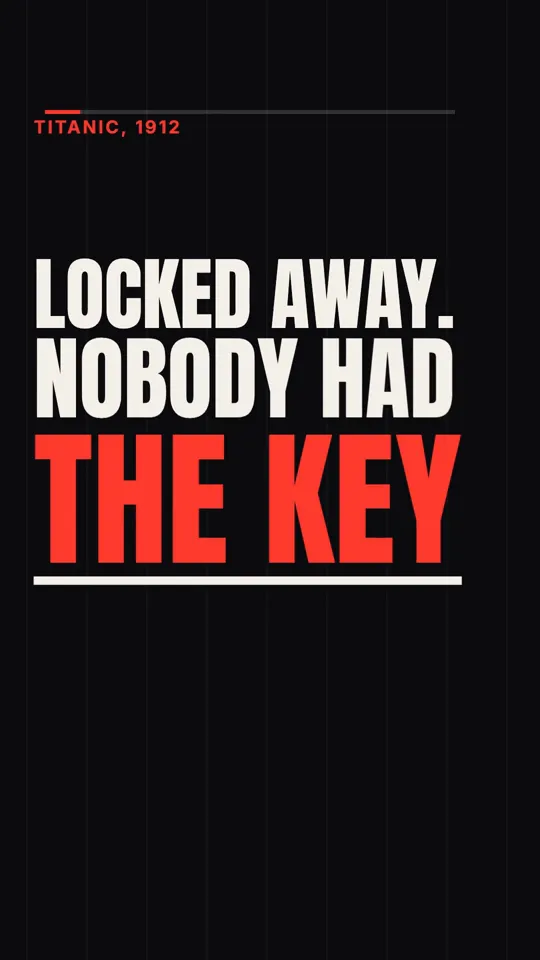
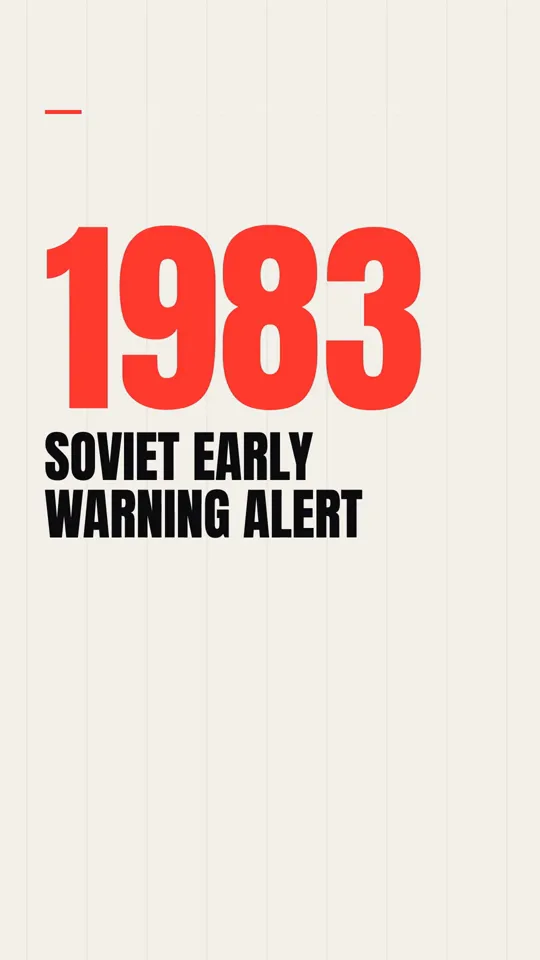
Kinetic type is one of the three styles live in Video Studio, alongside Ink stickman and Diagram explainer, with more being added. You type one sentence; Claude writes the script and storyboard; ElevenLabs voices it; our renderer draws every word as code, landing on the voiceover with one accent colour; captions and sound are timed for you. A video takes about three minutes. The three samples above are untouched outputs.
A 30 second video is 26 to 30 credits, and plans are $19, $49 and $99 a month.
Sources and methodology
Built from creators' published articles and posts on X, read in full in November 2026. The code sketches and cue sheet are our own illustrations.
- 01zero (@twoclipping): launch film prompts built on a beat countX Article, Sep 28, 2026.
- 02Raphael Aubry: finding the drop by energy, peaks for SFXX Article, Sep 28, 2026.
- 03beamnxw: Motion Engineering with Opus 5.5X Article, Oct 9, 2026. Reading holds counted in frames.
- 04Emm (@emmanuel_2m): kinetic-film skillOct 28, 2026. Vendor post (Scenario).
- 05Vox (@Voxyz_ai): huashu-art-motion stylesOct 12, 2026.
- 06kozh (@mr_kozh): huge words that interrupt the storyOct 29, 2026.
Frequently asked questions
How do I sync kinetic typography to music with Claude?
Analyse the track with Python (librosa) for tempo and beats, confirm the drop by measuring bass energy, save the times to a file, and have Claude write a cue sheet that locks each word or cut to a beat. The animation code then reads those times.
How do I sync words to a voiceover?
Get word-level timestamps, either from ElevenLabs with the generated audio or by aligning the recording to your script with a whisper-based tool, and trigger each word's entrance at its start time.
What font works best for kinetic type on Shorts?
One heavy, highly legible display face, used at a fixed size scale, checked at phone width. Condensed or wide faces both work; thin weights rarely do.
How long should each word stay on screen?
Long enough to read aloud at normal speed after it becomes legible. Eight frames at 30 fps is only about a quarter of a second, which is too short for most lines.