
Comparison
WhatToUpload vs AutoShorts: an honest comparison (2026)
AutoShorts and WhatToUpload both make faceless vertical videos, but they sell different things. AutoShorts sells a cadence: you set up one series, pick how often it should post, and it generates and publishes videos to TikTok, YouTube and Instagram on that schedule. WhatToUpload sells finished videos: you type a topic, pick a style and a length, and get an MP4 about 3 minutes later.
So the honest first question is not which one is better. It is whether you want a machine that posts for you while you are away, or a studio that makes each video you ask for in a look you choose. If it is the first, AutoShorts does that today and we do not yet.
Side by side
- What it makes
- WhatToUpload: Finished vertical videos (9:16) from a topic in about 3 minutes: script, ElevenLabs voiceover, captions timed to the voice, music and sound
- AutoShorts: Videos for one series, generated and posted on a schedule. Length options of 30 to 60 or 60 to 90 seconds
- Look
- WhatToUpload: Three styles drawn as code: Kinetic type, Ink stickman, Diagram explainer. Crisp type, no AI faces, nothing drifts between frames
- AutoShorts: AI images, with optional motion added per image using motion credits
- How pricing works
- WhatToUpload: One credit balance. Fixed price per style and length: 30 s is 26 credits (Kinetic type) or 30; 60 s is 42 or 48. Shown before you render
- AutoShorts: A posting frequency, not credits per video. Price does not change with length. Motion is a separate small meter
- Entry price (as of 4 Nov 2026)
- WhatToUpload: Creator $19/month for 500 credits; Pro $49 for 2,000; Studio $99 for 4,500
- AutoShorts: Starter $19/month for 3 posts a week; Daily $39 for 1 a day; Hardcore $69 for 2 a day. Yearly billing gives 2 months free
- Price per video
- WhatToUpload: Creator: $19 / 19 videos of 30 s, about $1.00 each. Pro: $49 / 76, about $0.64. A 60 s Kinetic type video on Pro is about $1.03
- AutoShorts: Starter: $19 / about 13 videos, about $1.46 each. Daily: $39 / 30, about $1.30. Hardcore: $69 / 60, about $1.15. Same price at any length
- Auto-posting
- WhatToUpload: Not yet. Auto-posting and scheduling to YouTube, Instagram and TikTok are coming soon, on Pro and Studio; today you download the MP4
- AutoShorts: Yes, to TikTok, YouTube and Instagram, on every paid plan
- Series and channels
- WhatToUpload: Not yet. Series and autopilot are coming soon; each video is started by hand today
- AutoShorts: One series per account on every plan; a second series needs a second account
- Failed renders
- WhatToUpload: Credits refund automatically when a render fails
- AutoShorts: Not stated on their pricing page. Edits that re-render do not count against the plan
- Free tier
- WhatToUpload: No free tier: plans start at $19/month
- AutoShorts: The free plan (1 video with a watermark) is paused, per their FAQ
What our output looks like
Three untouched renders from Video Studio, one per live style. Each started as a one-line topic.
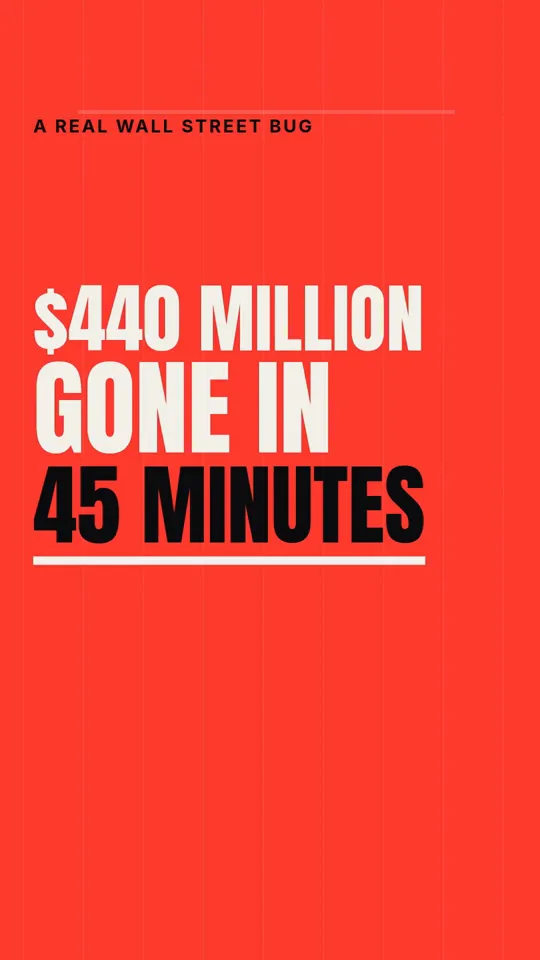
Kinetic type · 33 s

Ink stickman · 35 s
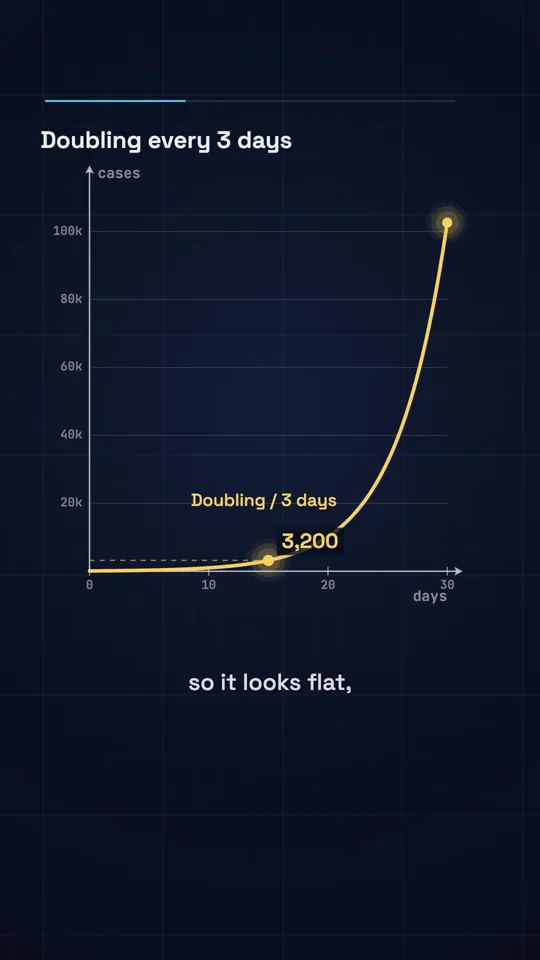
Diagram explainer · 41 s
Cadence versus credits
AutoShorts prices by how often you post. Starter is 3 posts a week, which works out at about 13 videos a month, so $19 buys a video for roughly $1.46. Daily is about $1.30 a video and Hardcore about $1.15. A 90 second video costs the same as a 30 second one, which is generous if you make long videos.
We price each video by style and length. On Creator, $19 buys 500 credits, which is 19 videos of 30 seconds in Kinetic type, about $1.00 each, or 16 in Ink stickman or Diagram explainer. On Pro the same 30 second video is about $0.64. A 60 second video costs more with us (42 or 48 credits), so if every video you make is a minute long, the two land close together.
The other difference is where the money goes. With AutoShorts the subscription is a schedule: a quiet week still uses the slots. With us unused credits roll over while you stay subscribed, so a month where you make five videos does not cost you the other fourteen.
Where the look differs
AutoShorts builds videos from AI images and lets you animate them with motion credits: 27 a month on Starter, and their help text says a video with motion on every scene can use 15 to 20. Our three styles are not generated images at all. Claude writes the script and a storyboard, and our renderer draws every frame as code: real fonts, ink lines, plotted graphs. That is why type stays sharp and a stick figure keeps the same hands from the first frame to the last.
The trade is range. A code-drawn style can only draw what it was built to draw, so we have three looks today, while AI images can show almost anything. If your channel needs photoreal scenes, AutoShorts is closer to that. If it needs readable words, diagrams and a consistent house style, ours is built for exactly that.
What we do not do yet
Auto-posting and scheduling (on Pro and Studio) and series are coming soon at WhatToUpload, not live. Today you download each video and upload it yourself. If the reason you are looking at AutoShorts is that you never want to open TikTok again, that is a real gap on our side and you should weigh it. What we add instead is the planning around the video: an idea engine for what to make next, plus title, hook, thumbnail and script tools for your long-form uploads.
Where AutoShorts is better
A comparison page that claims the competitor has no strengths is marketing, not information. These are real.
- It posts for you: TikTok, YouTube and Instagram on a schedule, on every paid plan
- A series runs on autopilot once it is set up, which we do not offer yet
- Price does not rise with length, so 60 to 90 second videos cost the same as 30 second ones
- Voice cloning is included on paid plans
- Script edits that re-render do not count against your plan
Questions
Is WhatToUpload an AutoShorts alternative?
Yes for making faceless vertical videos, no yet for posting them automatically. We make finished videos in three code-drawn styles from about $0.64 to $1.00 for 30 seconds depending on plan. AutoShorts makes and posts a series on a schedule. Auto-posting (on Pro and Studio) and series are coming soon on our side.
Which is cheaper per video?
For 30 second videos, usually us: about $1.00 on Creator and $0.64 on Pro, against about $1.46 on AutoShorts Starter and $1.30 on Daily (prices as of 4 Nov 2026). For 60 to 90 second videos AutoShorts is closer or cheaper, because its price does not change with length and ours does.
Can I try either for free?
AutoShorts says its free plan is temporarily paused. We have no free plan: Creator is $19/month for 500 credits, a 30 second video is 26 to 30 credits, the price shows before every render and you can cancel any time.
What happens if a video fails?
With us the credits go back to your balance automatically. AutoShorts does not state a failed render policy on its pricing page.
Can I run more than one channel?
AutoShorts allows one series per account, so a second channel means a second account. We have one credit balance you can spend on any topic or channel, but no scheduled series yet.